
13.05.26 | Release Notes

Justin Watts
13 May 2026
What's New in Ailo
13.05.26
Coming soon: PayID for payments
What. Personal account details, including the unique PayID email address, will soon be visible in the PM app for any tenancy with a personal account allocated. A copy button will let you share the details with renters through your own agency email.
Why. Personal account payments settle immediately, unlike direct debit and trust payments. Surfacing PayID details makes it easier for renters to push payments themselves, which reduces "where is my money" enquiries and aligns with the renter-led payment direction that NSW and other states have indicated they want.
How. Once released, simply open any tenancy with a personal account allocated. The PayID email and account details are now displayed in the payment section. Tap copy to drop them into your agency email and send to the renter. Phase 1 is rolling out this week to four pilot customers before a broader release. Auto-allocation of personal accounts on new tenancies and pre-fill of tenancy agreements are coming in Phase 2.


Manage Rent - schedule changes, frequency, anniversaries, and credits in one place

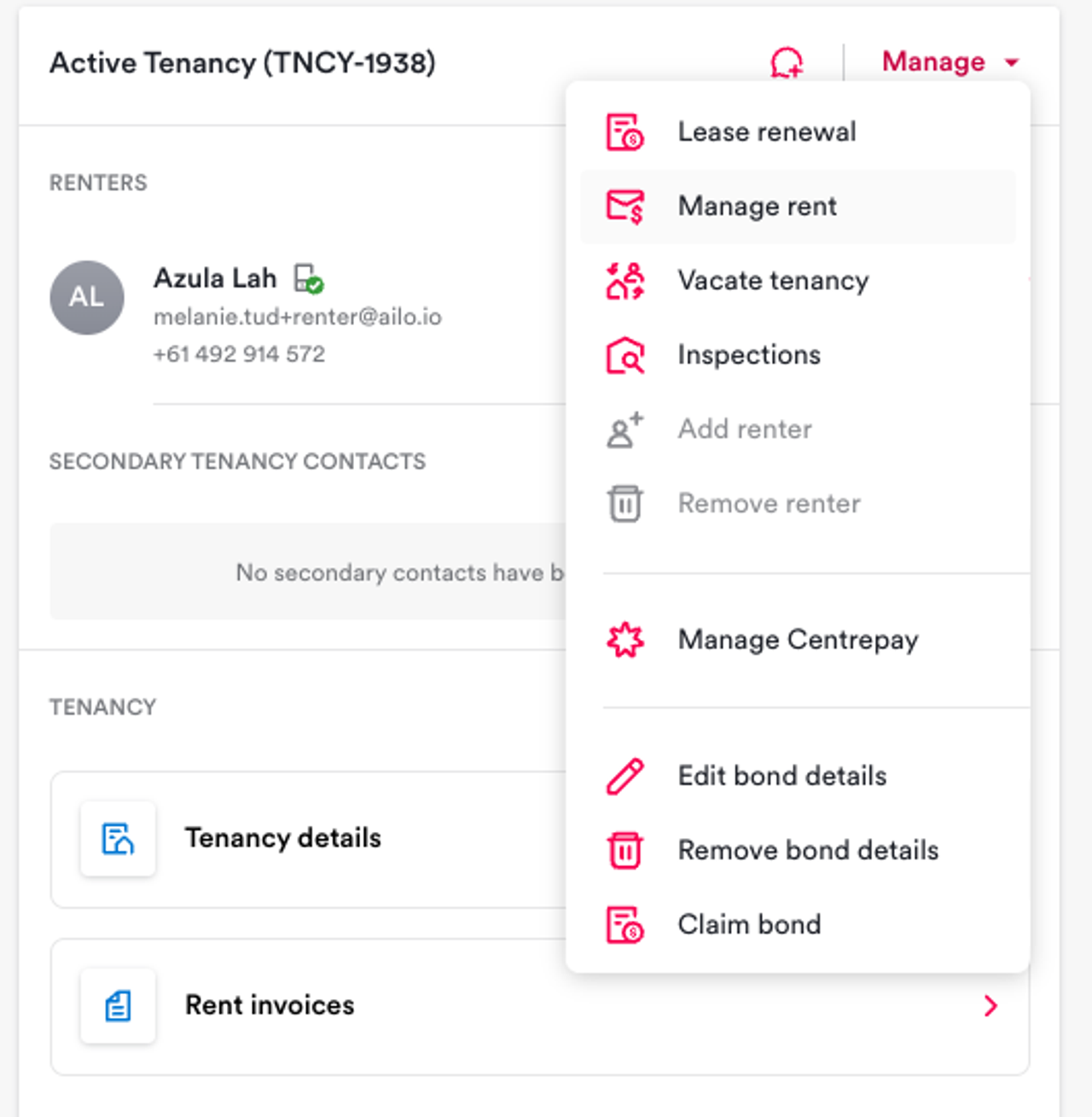
What. Coming soon - a new Manage Rent experience consolidates rent history, scheduled rent reviews, rent adjustments, and the rent calculator into a single view for every tenancy.
Why. Rent changes, history, credits, and frequency conversions used to live in separate workflows. Manage Rent gives you one place to do all of it and removes a meaningful chunk of avoidable support contact.
How. Open a tenancy and reach Manage Rent from the three-dot menu, the sidebar, the rent calculator link, or any lease renewal project. From there you can schedule rent reviews with auto-calculated percentages, pro-rata charge previews, and automatic renter email reminders 7 days before the change takes effect. You can also change frequency or anniversary without changing the amount (handy for switching weekly to fortnightly to match pay cycles), create and reverse rent credits, and convert across daily, weekly, fortnightly, monthly, and yearly rents in the built-in calculator. Pilot starts today with four customers, with general availability planned for next week.
Project filters - now filter by group
What. The project page now includes a filter for groups.
Why. Larger agencies often segment their portfolio into groups (for example, co-investor portfolios or specific portfolios). Until now the project page only filtered by project type, property, and assignees, so finding all projects within a portfolio meant manual cross-checking.
How. Open Projects and use the new group filter alongside the existing ones. Projects on managements within the selected groups will show. The filter works the same way as the existing project filters.


Management list export - investor and renter phone numbers included
What. When you download the management list, the export now includes investor and renter phone numbers alongside the existing email addresses.
Why. Property managers often need to follow up with investors or renters by phone, particularly during portfolio handovers, bulk outreach, or compliance checks. Having phone numbers in the same export saves a second lookup.
How. Go to the management list and click Download. The CSV now contains investor and renter phone numbers in additional columns.
Agency reply-to addresses on system emails
What. When you set an agency email against a legal entity in admin, transfer statements, supplier remittances, and migration invites now use that address as the reply-to. Replies from investors, renters, and suppliers go to your agency rather than Ailo support.
Why. Replies to system emails used to land in Ailo's support inbox, which slowed routing and made it harder for your agency to handle general enquiries. Setting the agency email as reply-to puts your team back in the loop on relevant correspondence.
How. In admin, set the agency email on the legal entity for each of your organisations. Transfer statements, supplier remittances, and migration invites automatically pick it up. More invite types (new managements, new tenancies via projects) will follow once we are confident the rollout is stable.


Help Centre is now Get Help - and contact support paths have been refreshed

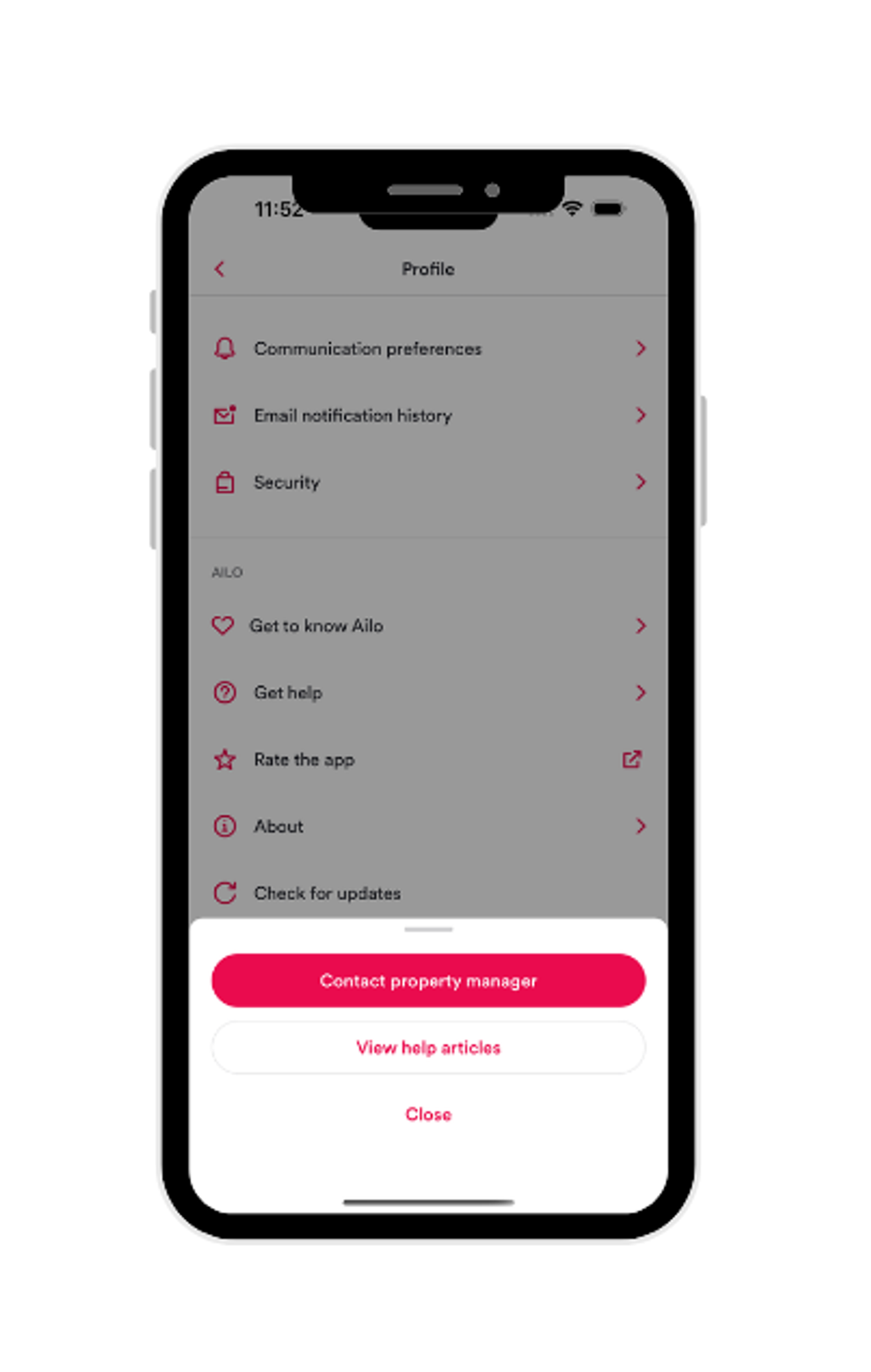
What. The consumer app's Help Centre has been renamed to Get Help, with a new bottom sheet that lets renters and investors choose between contacting their property manager or browsing help articles. Roughly 50 in-app "contact support" prompts across the PM and consumer apps have also been refreshed to direct people to their agency where it makes more sense.
Why. Renters and investors were tapping "contact support" out of habit rather than reading help articles or contacting their agency. Redirecting these flows to agencies gets faster answers to consumers, since their agency usually knows their situation better.
How. No action needed. Renters and investors will see the new flow in the consumer app. PMs will notice fewer in-app paths that point users to Ailo support, with most now routing through the agency instead. An audit of system emails is in flight and will continue this rollout into outbound communications.
