
17.06.26 | Release Notes

Ailo
17 June 2026
What's New in Ailo
17.06.26
Live Mode for inspections
What. Property managers can now control background sync during inspections. Standard mode (no background sync) is on by default. If Ailo detects more than one PM working on the same inspection, it suggests switching to Live Mode to keep both devices in sync.
Why. Live Mode keeps everything in sync when multiple PMs inspect together — but it's not needed for solo inspections. Running Standard mode on your own preserves battery life and delivers smoother performance.
How. No action needed. Inspections now run in Standard mode by default. When two or more PMs work on the same inspection, Ailo prompts you to switch to Live Mode so both devices stay up to date in real time.


Self-serve tenancy linking

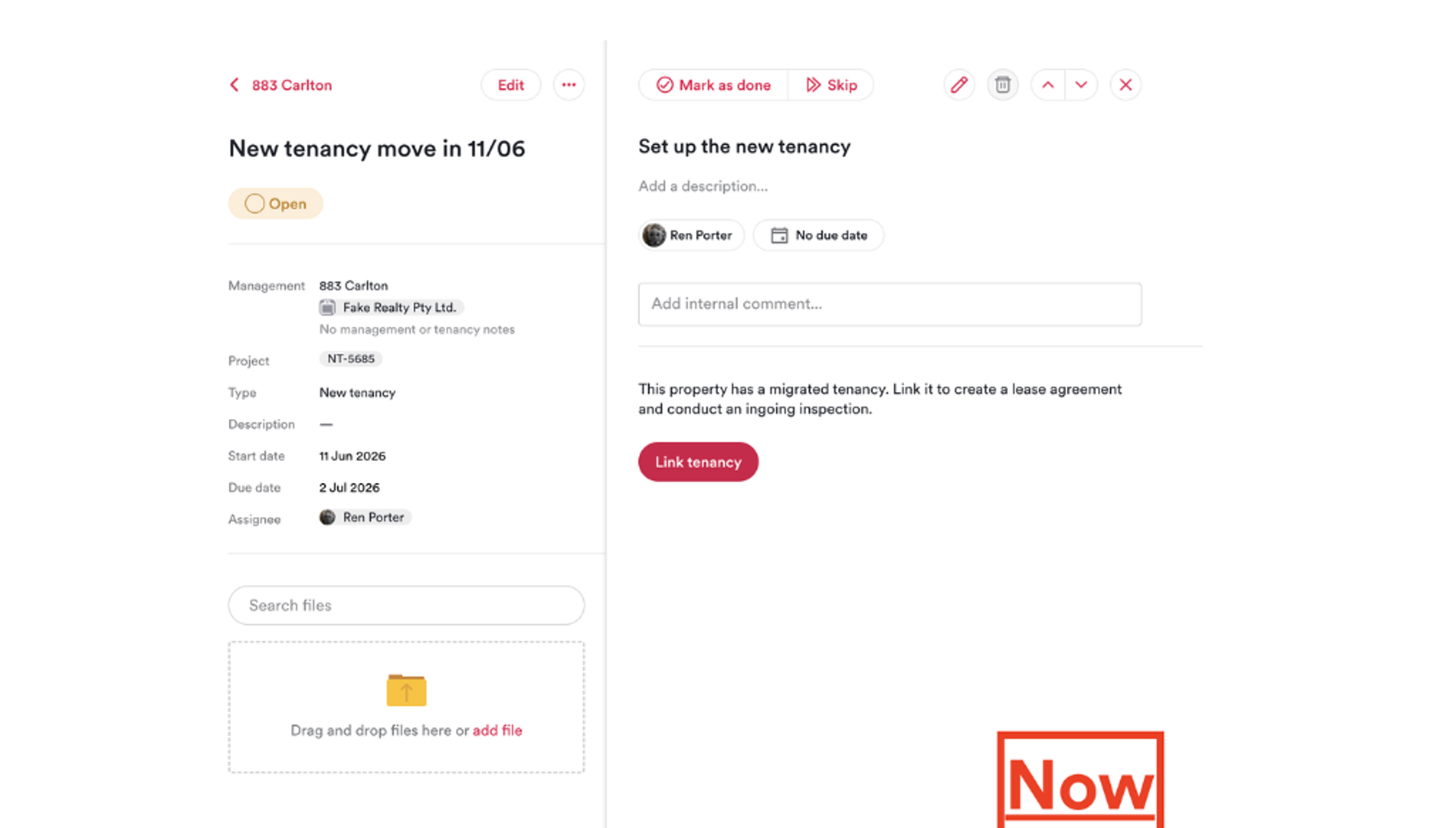
What. Property managers can now link a migrated tenancy to a New Tenancy project themselves.
Why. When a tenancy was migrated into Ailo before an agency's go-live, the New Tenancy project assumed it was creating the tenancy fresh, so the two never connected. PMs would get stuck at "Set up the new tenancy" with no way to proceed - the only fix was raising a support ticket for a manual link, which delayed ingoing reports and inspections.
How. In the "Set up the new tenancy" step, Ailo now detects a migrated tenancy on the property and shows a "Link tenancy" button. One click connects it to the project, and the PM can send the ingoing report and run the inspection straight away.
Void tenancy improvements
What. You can now void a tenancy that has started or has payments against it. Previously, voiding was only available on ingoing tenancies with no payments. Voided tenancies stay visible in renter and investor apps so past transactions remain accessible.
Why. Tenancies sometimes need to be voided after they've begun or once a payment has come through — for example, where a tenancy was set up in error or a tenant pulls out late. The old constraints meant the only way to correct these was a support ticket. Because a voided tenancy may still have financial transactions against it, renters and investors need to keep seeing those records.
How. Open the tenancy and select Void tenancy as before from either the property page or the new tenancy project. Where the tenancy has payments, Ailo shows a warning so you can see what action you will need to take to resolve outstanding payments.


Coming soon - Bond claim grace period

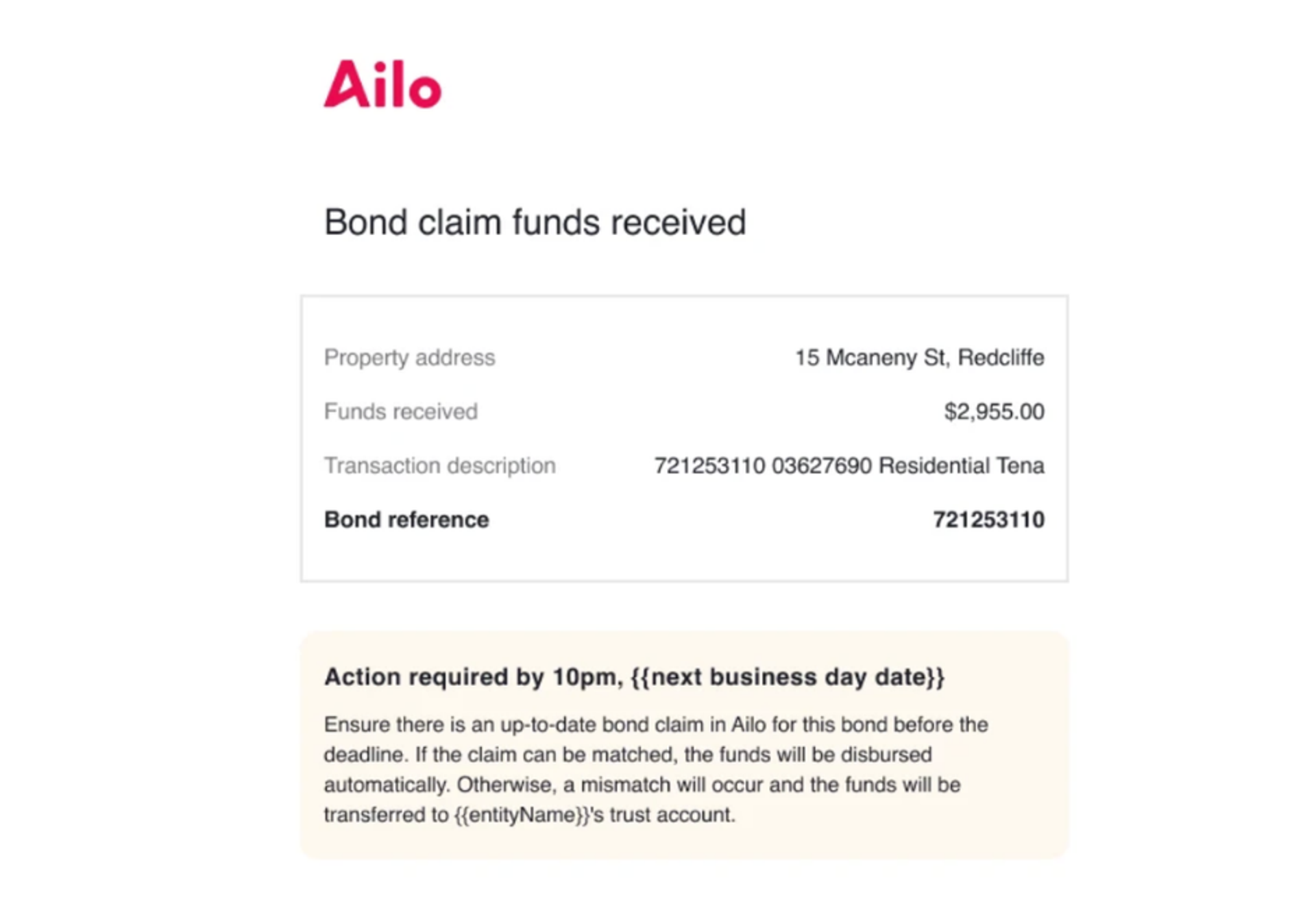
What. When bond claim funds received from a bond authority don't match the expected amount, you are now provided an additional business day to action those.
Why. When mismatched funds bounce straight to trust, it creates extra reconciliation work for agencies. In most cases the mismatch is something agencies can resolve themselves - they just need a window to act. This change gives property managers time to update the relevant bond details in Ailo before funds are moved.
How. When a mismatch is detected, Ailo sends a "Funds received" email with the transaction details and a deadline. Property managers have until 10pm AEST the next business day to update the bond information. If the details match after the update, the funds are disbursed automatically. If no match is found, the funds bounce to trust as normal.
This feature is currently available to a select group of pilot offices across NSW, VIC, ACT, and TAS. A broader rollout will follow as the pilot progresses.
