
19.08.26 | Release Notes

Ailo
19 August 2026
What's New in Ailo
19.08.26
Schedule inspections with more flexibility
What: When scheduling an inspection, you can now choose who will conduct the inspection separately from the project assignee. You can also select a project template on the same screen.
Why: In teams where one person schedules inspections and another carries them out, the previous flow created extra work - the scheduling PM had to go back in and manually reassign project tasks after the fact. Now the right work lands with the right person from the start.
How: When you schedule an inspection, you'll see two fields: one for the person conducting the inspection, and one for the project assignee. Both default to you, and you can update either independently. A project template picker also appears on the same screen, pre-set to your default.


Track compliance jobs without chasing your provider

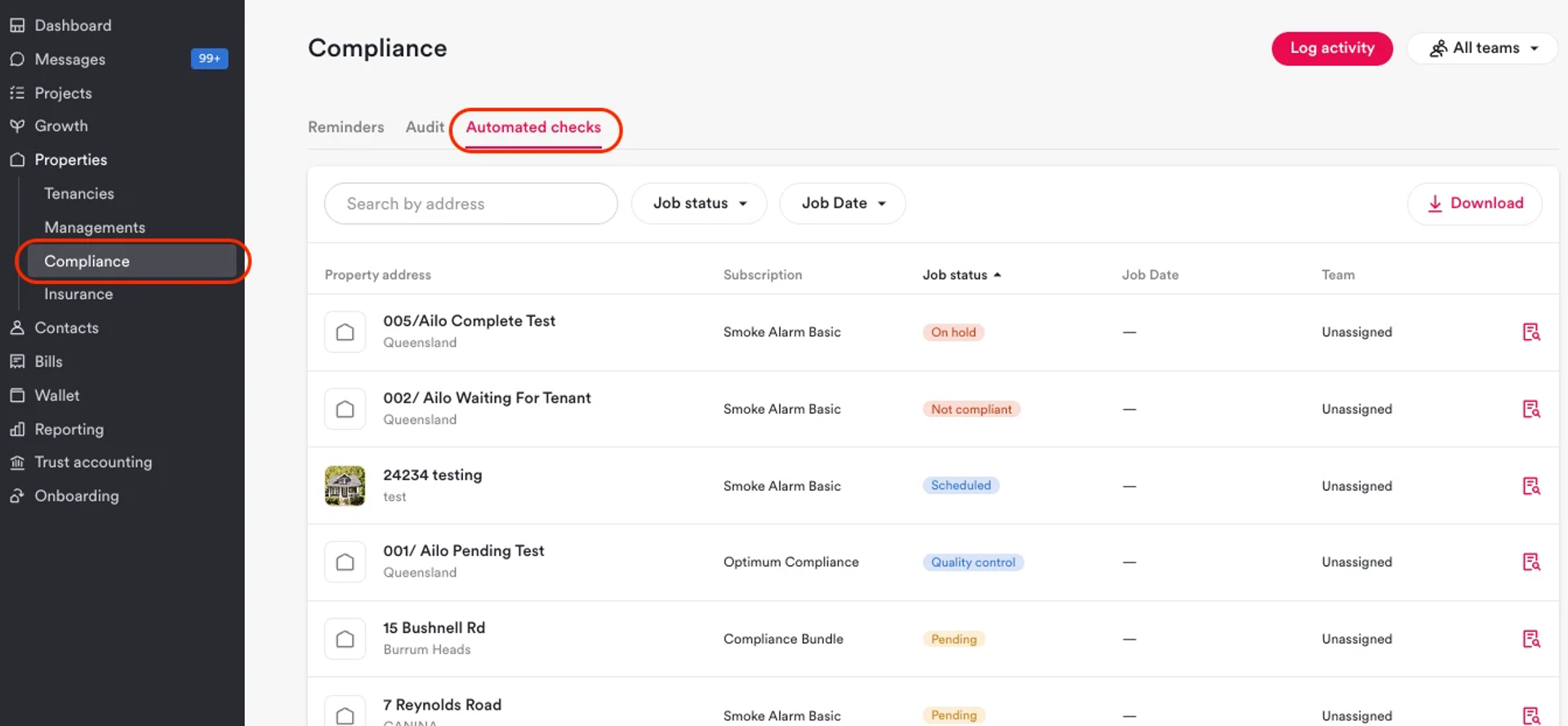
What: A new "Automated checks" tab on the Compliance page shows the real-time status of each compliance job your DC Smoke is handling across your portfolio.
Why: Staying on top of compliance job progress previously meant emailing or calling your provider to ask what was happening. Now you can see what's scheduled, in progress, and complete from inside Ailo - no phone tag required.
How: Go to Properties, open Compliance, and select the Automated checks tab. You can search by address, filter by status or date, click through to a property, and download the list as a CSV. Visit dates appear once your provider confirms them.
Refund initial payments yourself

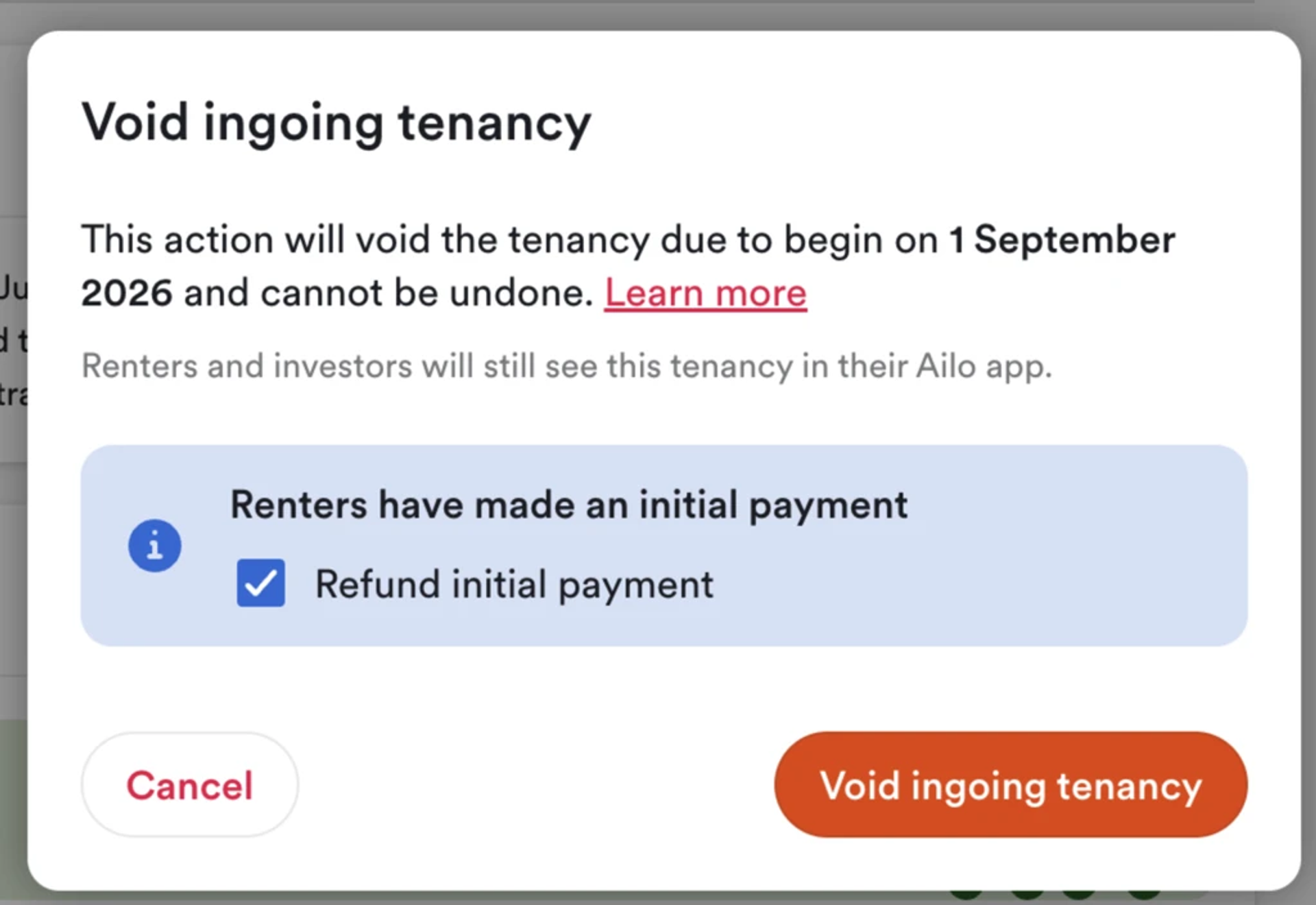
What: You can now refund a renter's initial payment when voiding an ingoing tenancy, without needing to contact support.
Why: Previously, agencies had to raise a support request every time they needed to refund an initial payment. For anyone with Finance Manager permissions, this is now a self-serve action - saving time on both sides. If you don’t have Finance Manager permissions, you can ask someone in your agency to action the refund after voiding the ingoing tenancy.
How: From the payment card on the property page, or during the void tenancy flow, select the option to refund the initial payment. Note: this covers full refunds only where the payment has not been transferred to rent. Partial refunds and payments transferred to rent are being worked on as a next step.
Investors can now send thanks to their property manager
What: Investors can now send a thank you to their property manager from within the Ailo app. PMs can see all thanks received in a dedicated tab on their dashboard.
Why: Property management is one of the most underappreciated jobs in real estate. This gives investors a simple, one-tap way to let their PM know they've done a great job - and gives PMs a place to see the positive feedback they've earned.
How: Investors will see a "Send Thanks" option when they're in a chat with their property manager. When a thanks is sent, PMs can view it in the "Thanks" tab on their dashboard. From there, PMs can follow up with a message directly. Only investors can send thanks for now.


Urgent trade contacts in the renter app

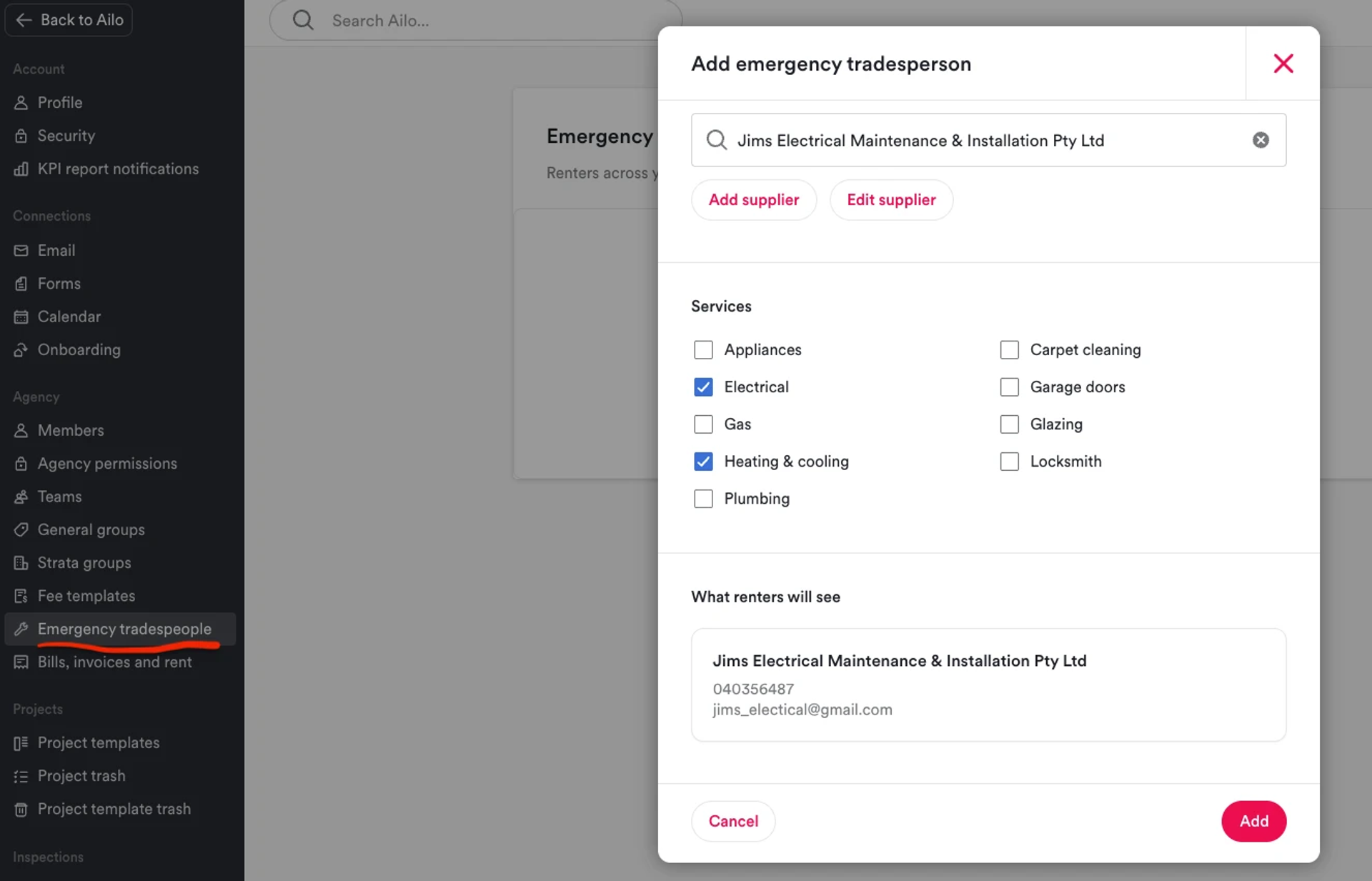
What: You can now add approved emergency tradespeople to your agency settings, and renters will see their contact details in the Ailo app when they need urgent after-hours help.
Why: When a renter has an after-hours issue, they often don't know who to call - and that call ends up coming to you. This puts your approved contacts front and centre in the app renters are already using, so they can act quickly without you being the first point of contact at midnight.
How: Go to Settings and add emergency tradespeople, selecting the service types they cover (for example, plumbing, electrical, locksmith). Renters will see these listed under the Tenancy section of their app, organised by service type. The section only appears if you've added contacts, so renters won't see an empty list.
Fee cap raised to $15,000

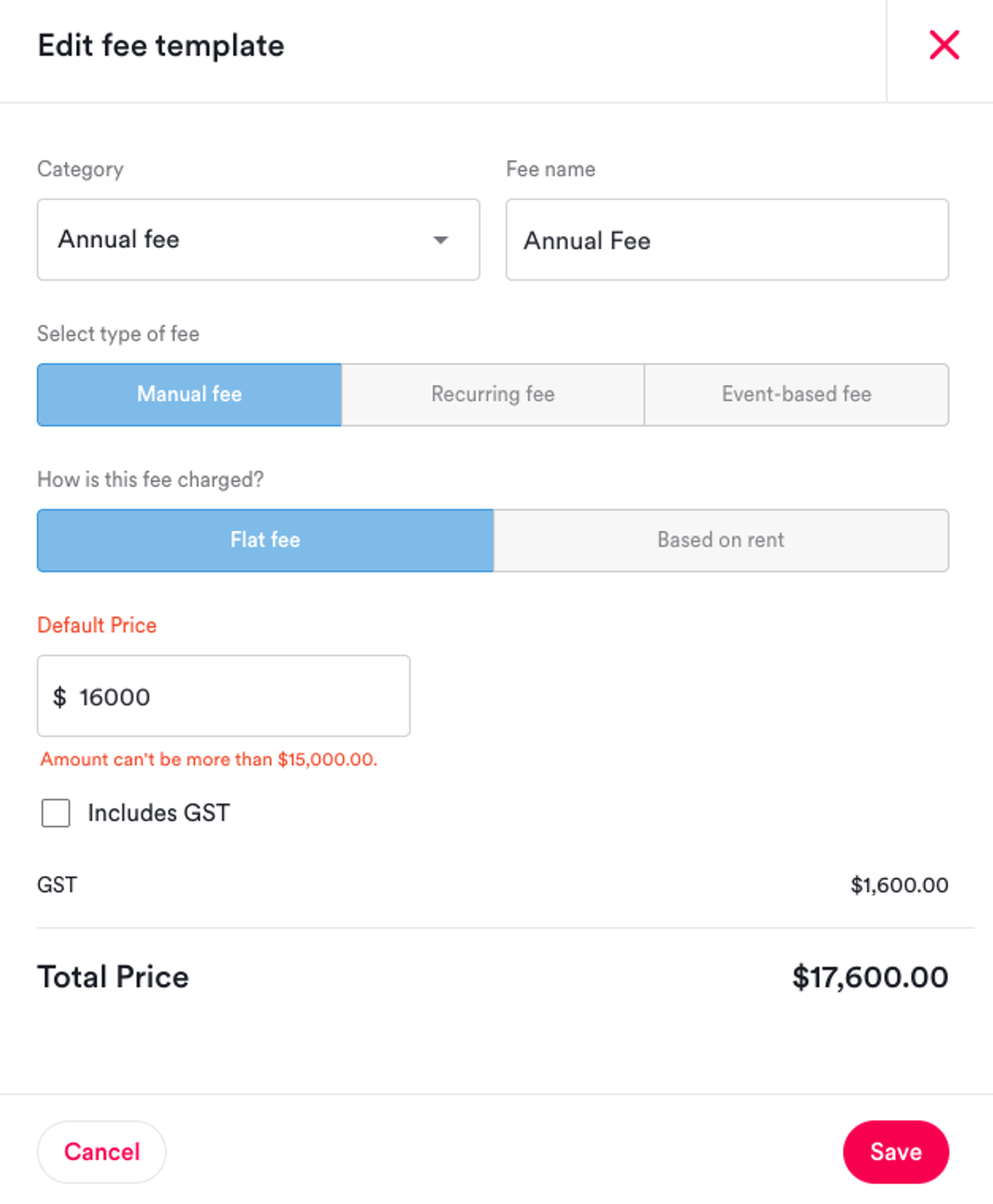
What: The maximum amount for a single fee has increased from $10,000 to $15,000.
Why: Some commercial tenancies require higher fee amounts that previously could not be entered without contacting support. This change removes that friction for the occasional edge case.
How: When creating a fee, you can now enter amounts up to $15,000. No additional steps required.
