
02.09.26 | Release Notes

Ailo
02 September 2026
What's New in Ailo
02.09.26
Last rent increase visibility
What: Ailo now records and displays the last rent increase for every property and tenancy - including the amount, frequency, and effective date. You can see this information right in the rent management view, and you can edit it if a migrated value needs correcting.
Why: Most states limit rent increases to once every 12 months. In Queensland, that clock runs with the property - not the tenancy - so agencies must state the last rent increase date on Form 18a when setting up a new tenancy. Getting that date wrong is an offence. Having it visible and editable in Ailo means your team can answer compliance questions with confidence, and new tenancies start on solid footing.
How: Open a tenancy and go to Manage rent. The rent review sidebar now shows "Last rent increase for tenancy" and "Last rent increase for property" side by side. If the migrated value is incorrect, you can edit it directly. For properties and tenancies created after migration, Ailo calculates the date automatically from your rent history.


Standalone rent calculator

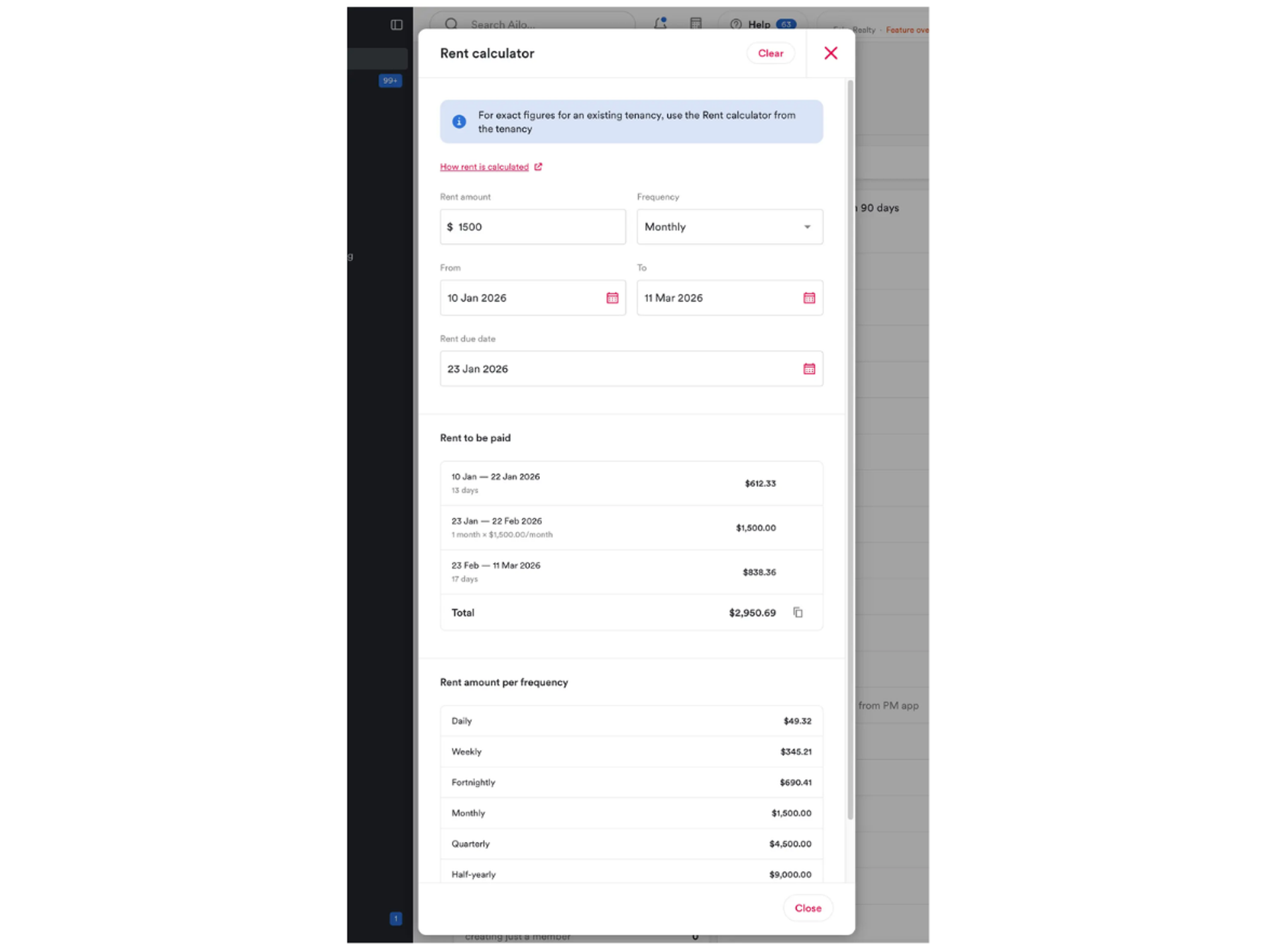
What: A new rent calculator is now available from the top navigation bar - no tenancy required. Enter an amount, frequency, and date range to get the total owing for that period, with a cycle-by-cycle breakdown.
Why: Property managers regularly need to price rent outside of a specific tenancy - quoting a prospective renter, checking a pro-rata figure, reconciling an amount from another system, or working out what is owed on a break lease. Previously there was nowhere in Ailo to do this quickly. The standalone calculator handles any frequency (weekly, fortnightly, monthly, quarterly, and more) and any date range, using the same calculation engine that prices real rent in Ailo.
How: Click the calculator icon in the top navigation bar, next to notifications. Enter an amount, frequency, date range, and (where needed) a due date. The total and a cycle-by-cycle breakdown will appear instantly. Your inputs persist as you move around the app and reset when you reload or click Clear.
Shoutout to Lisa, Canberra for championing a rent calculator that works for complex cycles - including quarterly and annual rents for commercial and embassy clients.
Contact details in the renter app

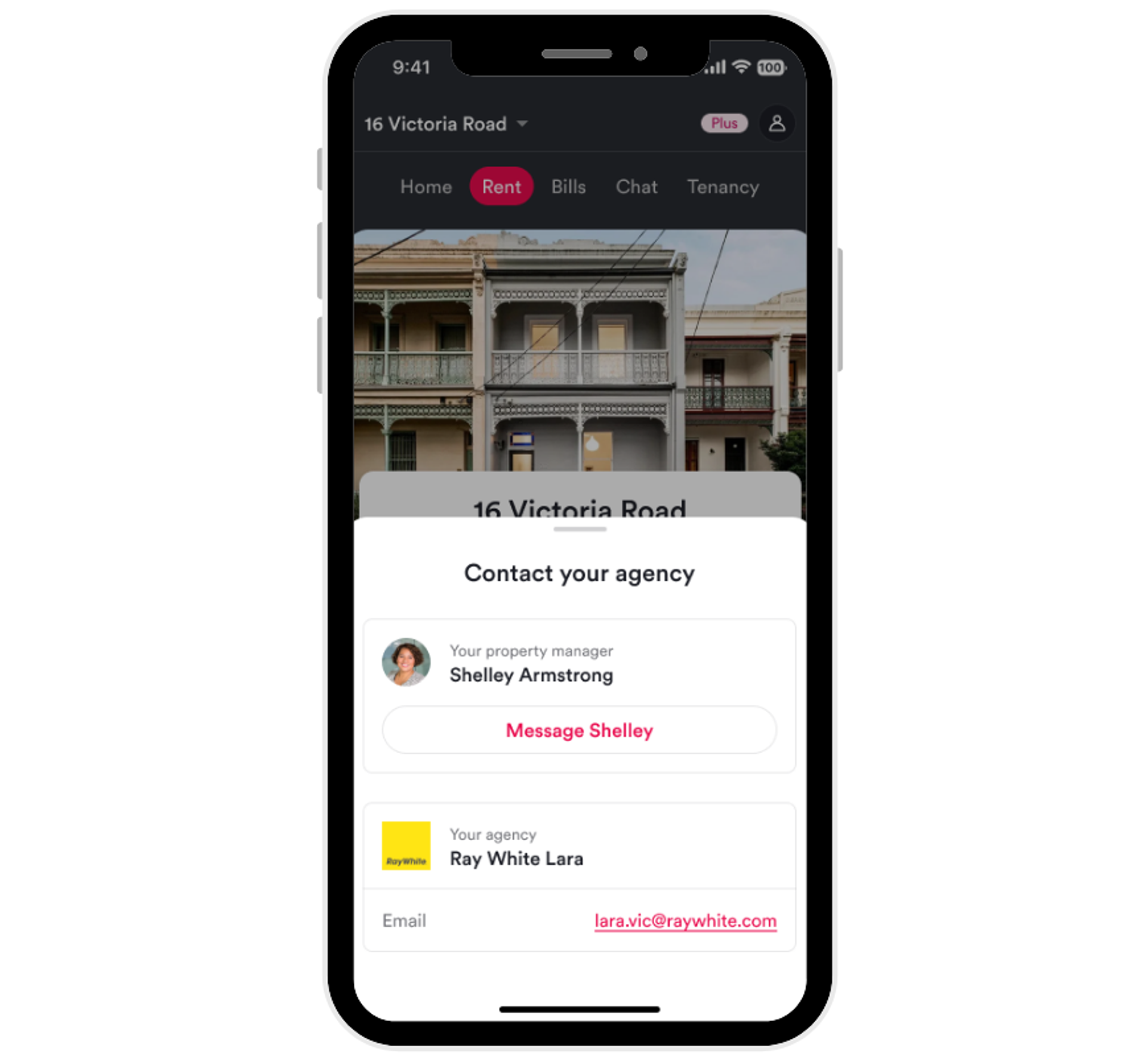
What: Renters can now see their property manager or agency contact details directly on the home tab of the Ailo app.
Why: Renters often aren't sure who to contact or how - especially when a tenancy has multiple people involved. This update removes that uncertainty. The app now shows the right contact based on how the property is managed: if one property manager is assigned, their details appear; if the property belongs to a team, the agency contact details appear instead. Renters can tap through to see email details and message their manager directly.
How: No setup required. Renters will see the contact card on their home tab automatically. The display adapts to the team structure of the agency managing their property.
Payments and statements improvements

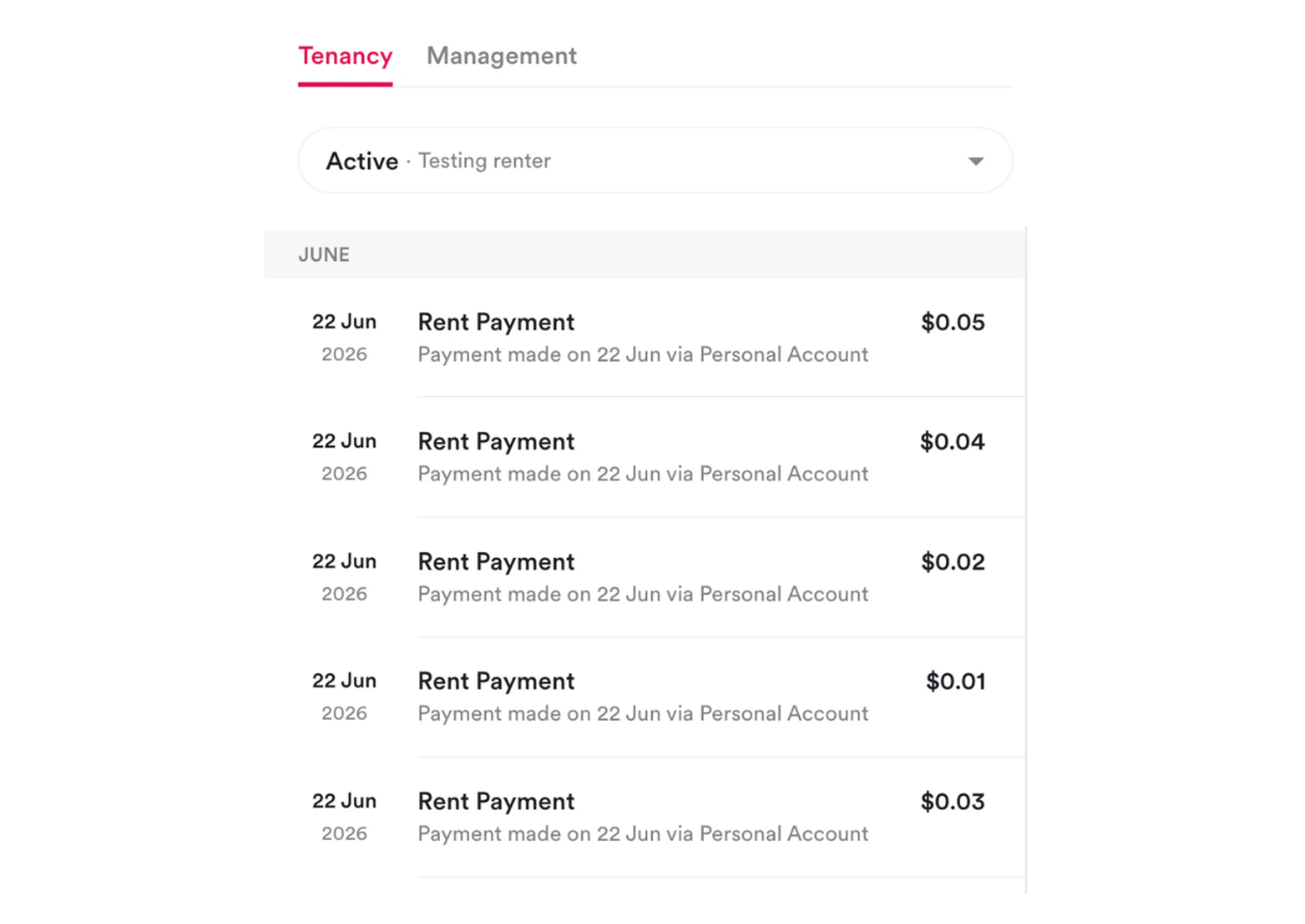
What: A set of smaller updates to how payments are displayed and how ownership statements report outstanding expenses.
Why: These changes reduce confusion for property managers, investors, and renters when reviewing financial records in Ailo.
How: Three specific improvements are now live:
Personal account payments now show clearly. Rent paid via bank transfer into a personal account now displays as "Paid via Bank Transfer (Personal Account)" in tenancy history statements, and as "Personal Account" in the tenancy ledger in the app.
Draft bills from the rent calculator now display correctly. Bills saved as drafts from the rent calculator - such as break lease fees - now show the paid to and which property it relates to in the draft bills list. You no longer need to open each bill individually to identify it.
Ownership statement outstanding expenses are now accurate as of statement period end date. The outstanding expenses list on ownership statements is now calculated as of the statement period end date, giving investors and property managers an accurate picture of what was owing during that period - not at the time the statement was generated.
