04.12.25 | Release Notes

Liz Pollock
04 December 2025
What's New in Ailo
4 December 2025
Easily schedule recurring bills 🔁
The new recurring bills feature in Ailo lets you schedule recurring bills like budgeted outgoings, council rates, strata levies, water charges, and insurance once – then the Ailo platform handles the rest.
Set the cadence (weekly, monthly, quarterly, annually), number of bills or end date and the budgeted amount. Bills generate automatically according to your schedule, so renters or investors can pay on time without you lifting a finger. Check it out 👇
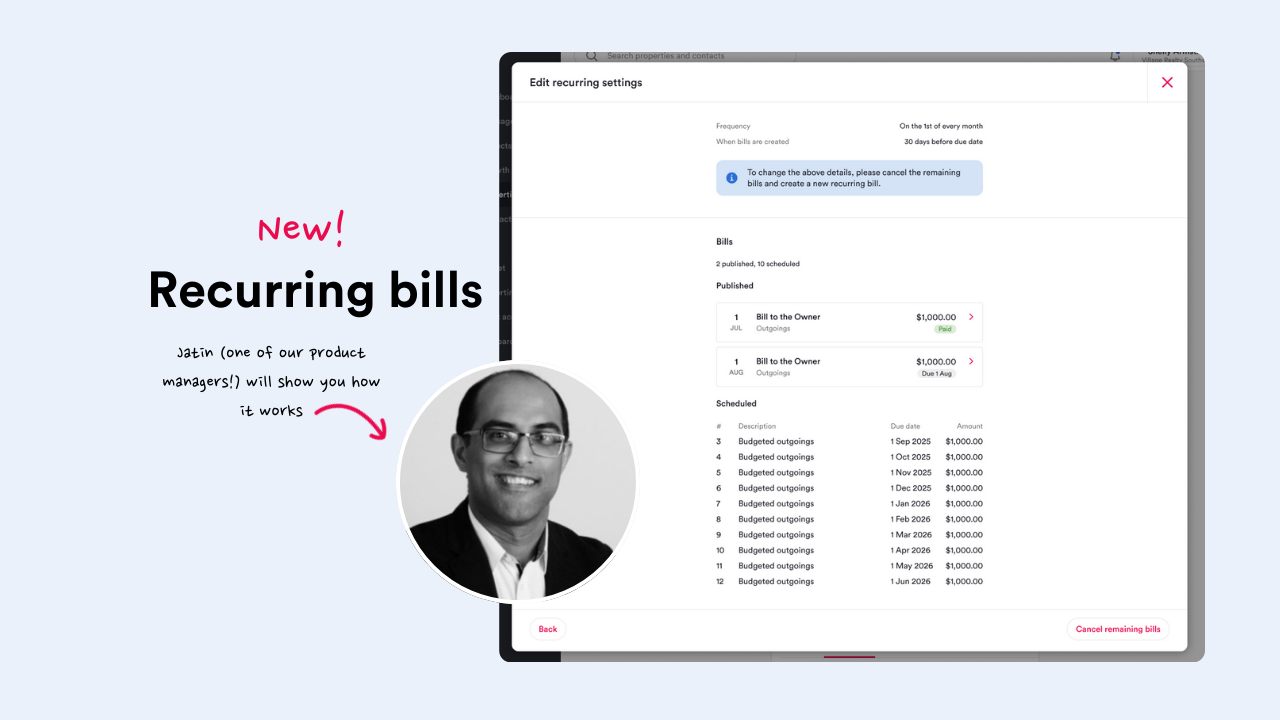
This is particularly useful for commercial tenancies: Once configured, these recurring bills automatically generate as payable items for renters, allowing them to make regular outgoing payments as part of their lease obligations.
🤩Lee in the Central West of NSW – we know you’ll love this one!
Split tabs for lease renewals and rent reviews ✂️

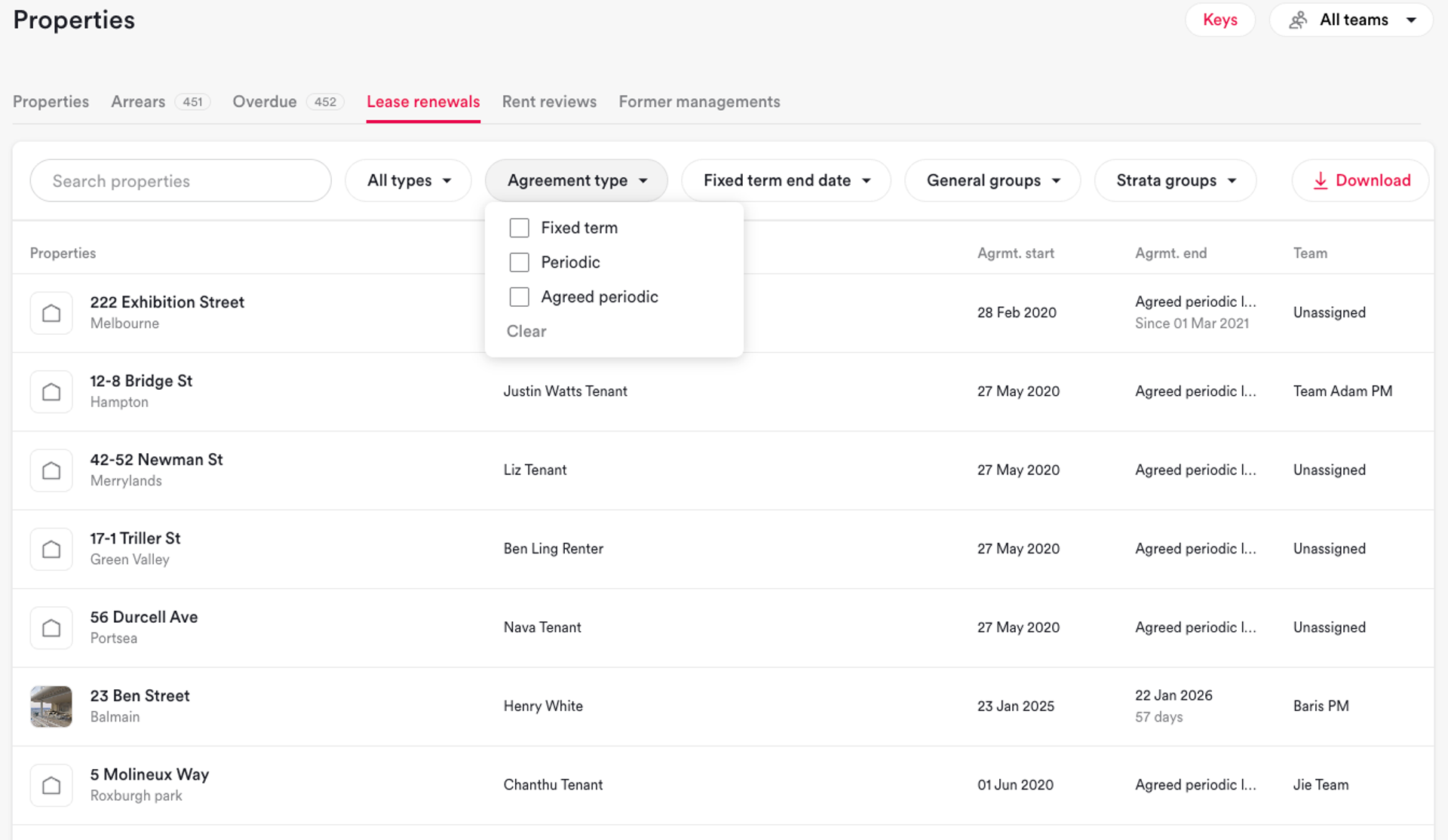
With split tabs for lease renewals and rent reviews, there's less hunting, better clarity, and nothing slipping through the cracks. Here’s what’s new:
- New lease renewals filters: residential vs commercial, agreement type (fixed term, periodic, agreed periodic), date ranges on when fixed terms end, and general/strata groups.
- Rent reviews get new filters too – including whether a review is scheduled or not
- You can now see all your managements, not just the ones due for action (previously, if a management didn't have a rent review scheduled, it wouldn't show up)
- Agreed periodic leases remain visible – the new Agreement type filter lets you keep them visible after actioning
Skip actions, and keep projects moving ⏭️

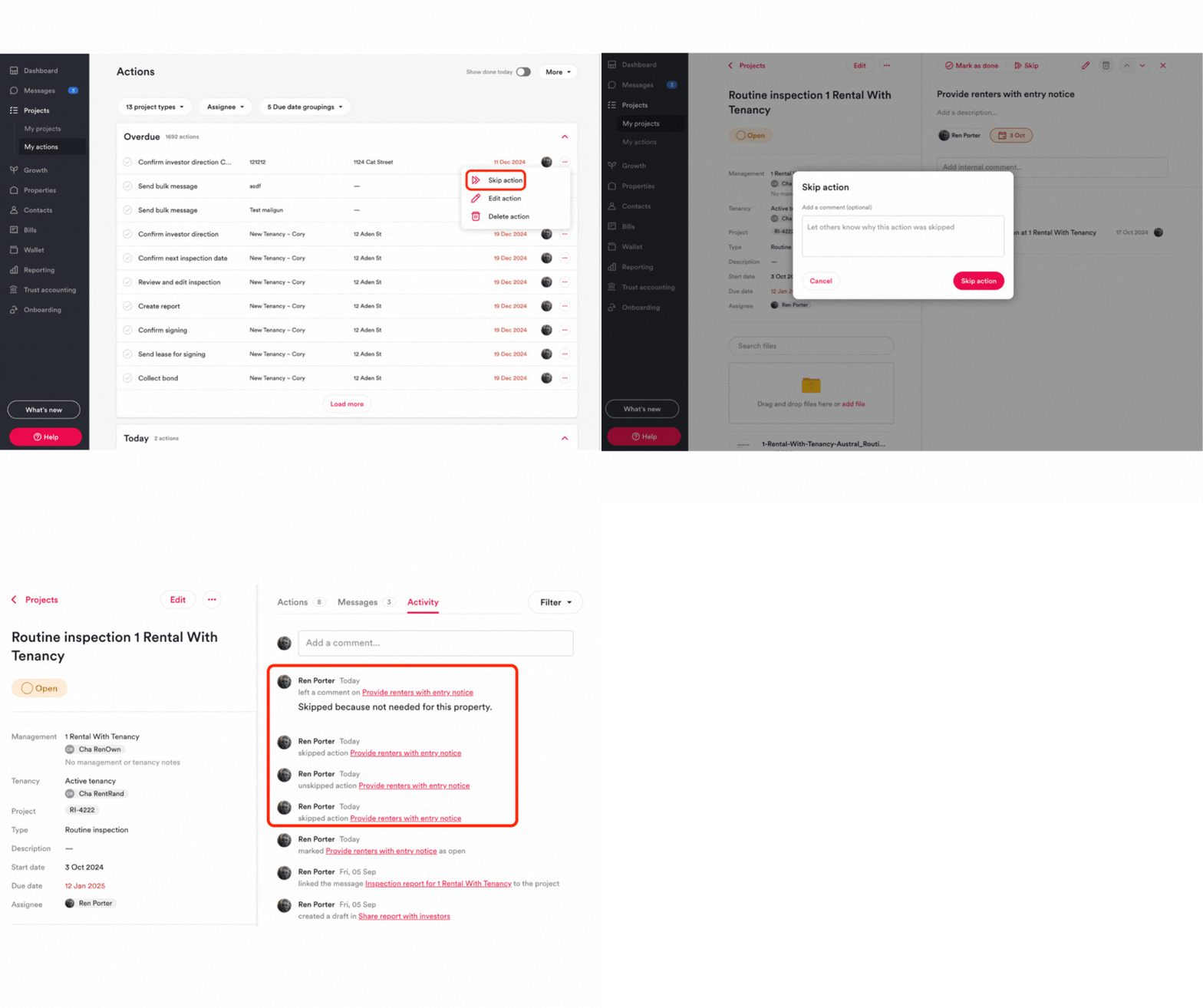
Not every action in a project applies every time. Now you can skip actions that aren't relevant without breaking your workflow:
✅ Skip from your My Actions list, within a project, or directly inside the action itself
✅ Add an optional comment explaining why (helpful for context later)
✅ Skipped actions are logged in the project activity, so there's a clear record
✅ Once skipped, the action behaves like a completed action – it triggers due date automation, and when all actions are done or skipped, the project closes automatically
Team leads 👋 Want to review which actions are commonly skipped? Open recently closed projects to spot patterns, then update your project templates to keep them relevant.
🤩 Angela in Nowra (NSW) and Cherrie on the NSW Central Coast – this one is for you!
More updates you ask for
It's the little things
- Autofill property filter when creating routine inspection projects from the property page ⚡- One less step between you and getting the inspection scheduled!
- Replace links in bill email notifications with PDF attachments 📎 – This follows the same change we made to investor statements based on your feedback. 🤩 Kayla in St Kilda (VIC) – we know you'll like this one!
- Search for work order by work order number 👀 – 🤩Kimberley C in the Goulburn Valley (VIC) - one for you!
- Add a “Donation” tax category – 🤩 Jodie S in Brissy - this one is for you!
- Archive a supplier yourself 👷