
04.11.26 | Release Notes

Ailo
04 November 2026
What's New in Ailo
04.11.26
Quick actions
What: Turn any to-do into a tracked action in seconds, without setting up a project first.
Why: Not every task needs a project. A callback, a replacement fob, or a follow-up on a message can now sit in My actions with the rest of your work, so nothing slips through and your projects stay focused on the jobs that need them.
How: Create a quick action from My actions, the Projects tab on a property, or a message thread. Give it a due date and priority, link it to a property, messages, contacts, or suppliers, and attach files or add a description. Mark it done or skip it, and reopen it later if you need to. Heads up: your overdue and due-today counts now include quick actions, so those numbers may go up.


Action priorities and search in My actions

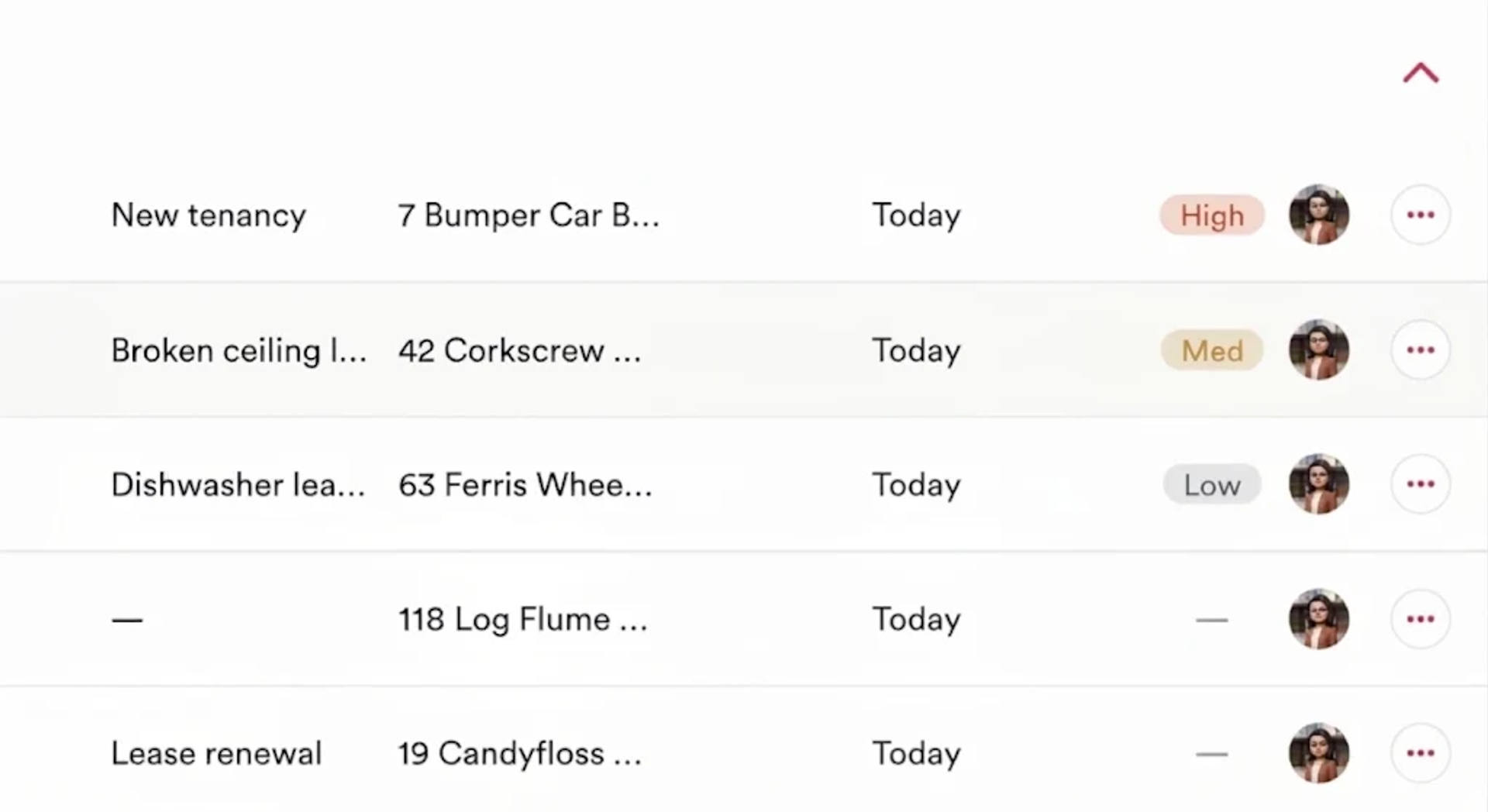
What: Set a priority on any action, and search My actions to find exactly what you're after.
Why: When a lot is due at once, priority puts the most important work at the top of My actions. Search lets you pull up a specific group of tasks, like every lease instruction you're waiting on, without scrolling through the whole list.
How: Open any action and set its priority. For projects, set the priority on actions in your custom project templates (default Ailo templates don't support default action priority yet). Use the search bar at the top of My actions to filter by text.
My wallet for renters

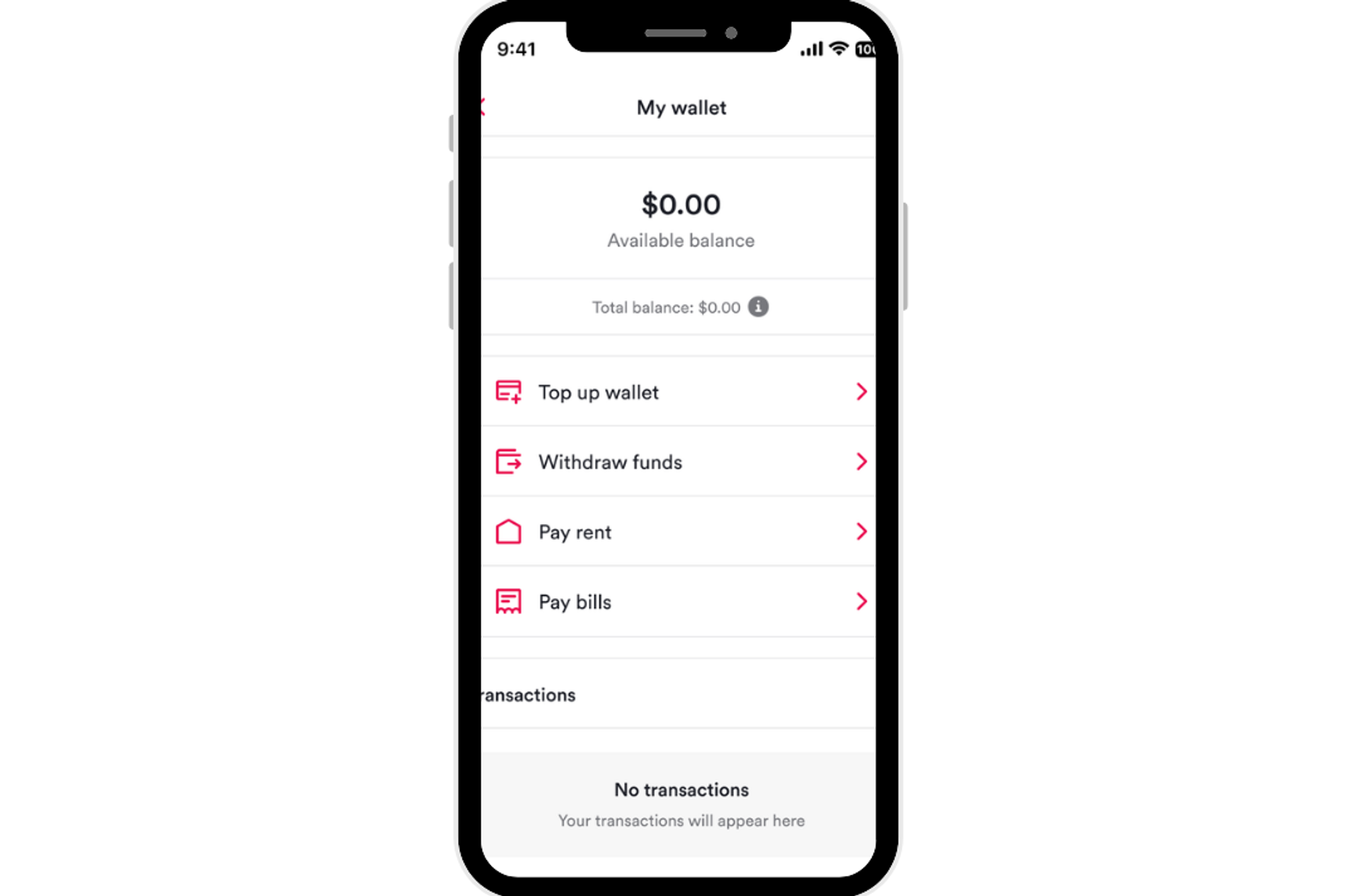
What: Renters can add funds to a personal wallet in the Ailo app and use them to pay rent and bills, including part payments.
Why: Renters can set money aside on payday, before rent and bills fall due, which makes it easier to pay on time. For your team, nothing changes. Receipting and disbursement work exactly as they do today.
How: Renters find My wallet under their profile in the Ailo app. After adding mandatory identity detals for KYC purposes, they can top up from a bank account, or by card if their membership includes card payments, then choose to pay from their wallet when paying rent or a bill. There's no fee to add, hold, or use funds. Wallet funds aren't used for rent autopay, and withdrawals go back to the original payment source.
Renter memberships report

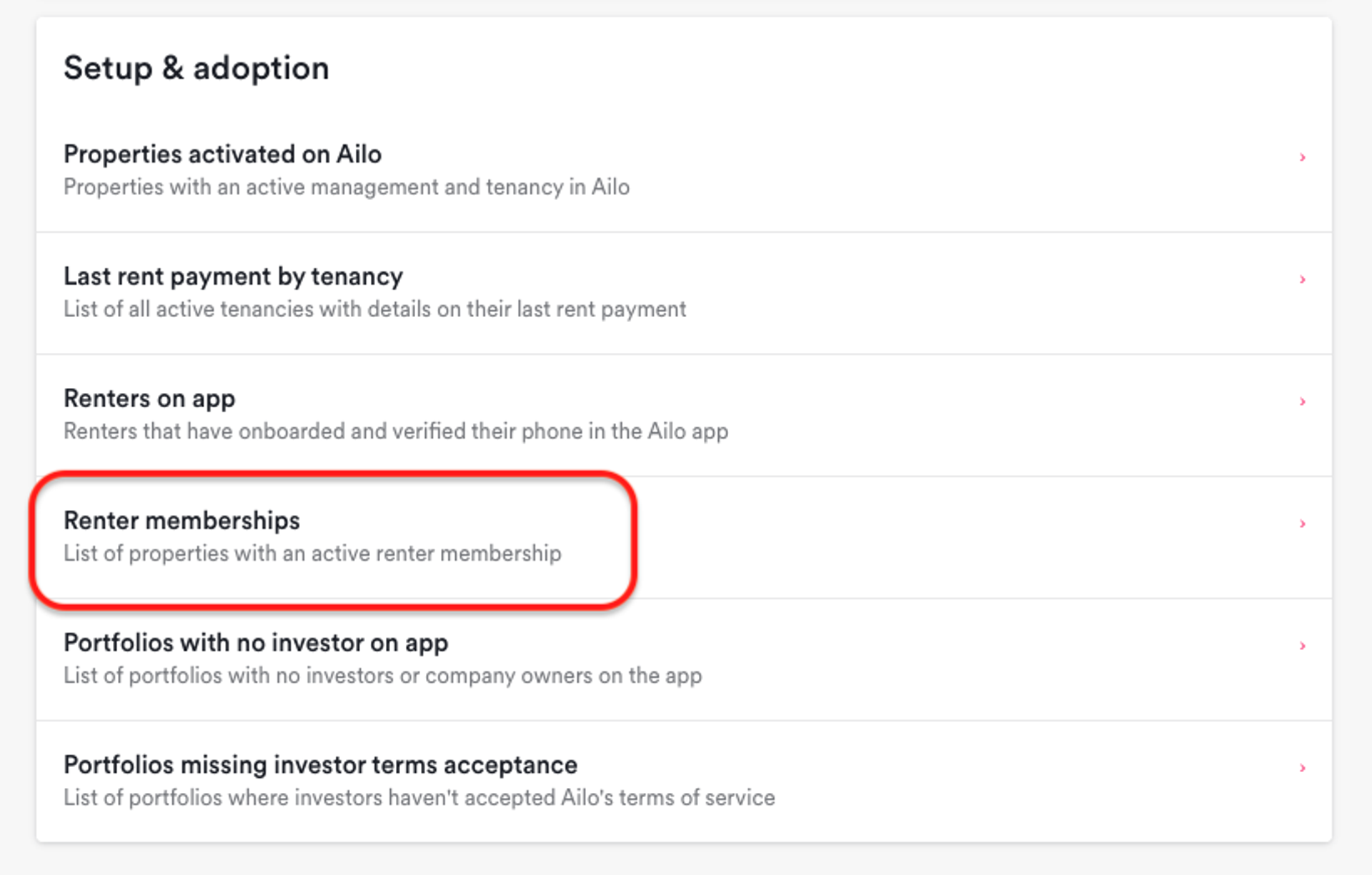
What: See which renters in your office have an Ailo membership, all in one report.
Why: Until now you could only check membership one renter at a time. The new report gives you an office-wide view, so you can answer renter questions quickly and understand take-up across your portfolio without needing to ask us.
How: Go to Reporting > Setup & adoption > Renter memberships. Each row shows the renter, property and tenancy, membership tier (Everyday, Plus, or Global), and join date. Filter and export it the same way as your other Setup & adoption reports. The report shows tiers only, not fees.
