
07.10.26 | Release Notes

Ailo
07 October 2026
What's New in Ailo
07.10.26
Overpaid funds on ended tenancies

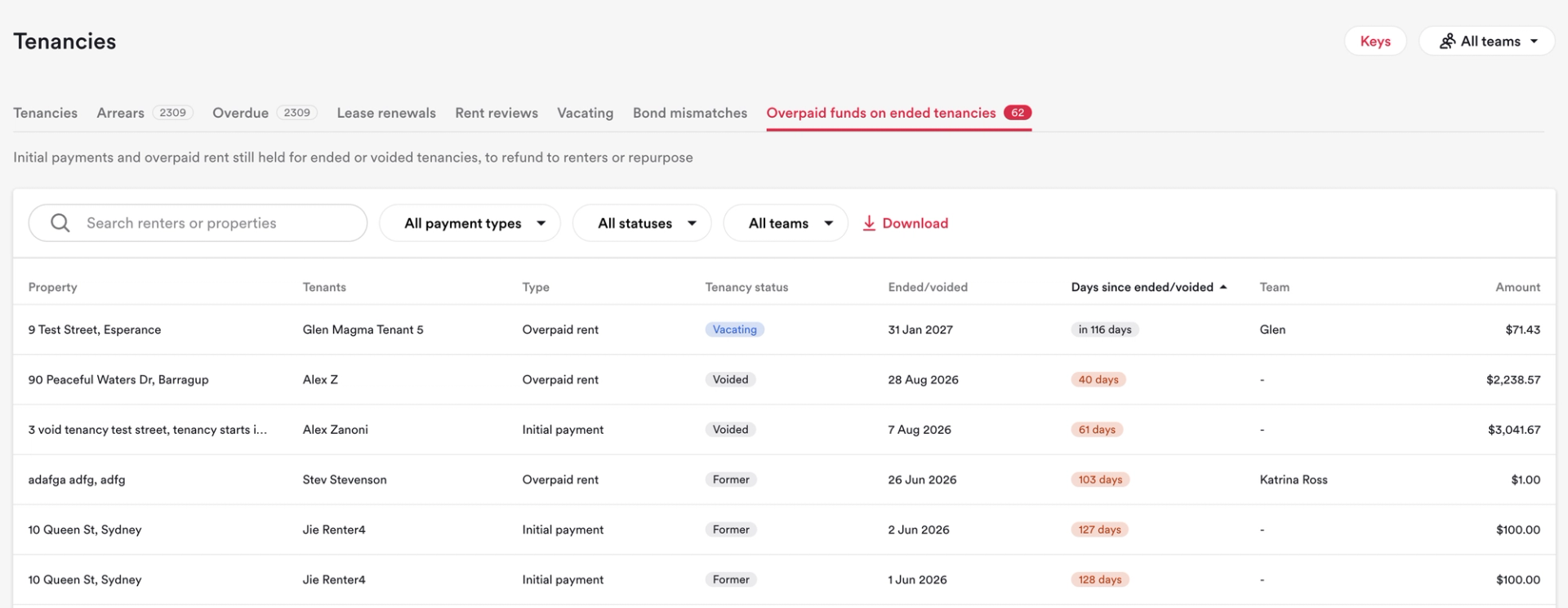
What: A new Overpaid funds tab under Tenancies lists every vacating, vacated and voided tenancy holding an initial payment or overpaid rent that may need to be refunded to the renter.
Why: Money left on ended tenancies is easy to miss when it's spread across dozens of properties, and it often leads to a renter chasing their refund. Now you can see it all in one place and clear it before anyone has to ask.
How: Go to Tenancies and open the Overpaid funds tab. Filter by how long the funds have been held (over 7, 14 or 30 days, or a custom date range), by tenancy status or by payment type, or search by renter. Click a row to open the property with that tenancy selected. Any initial payment that needs refunding shows at the top of the page, ready for you to action.
Portfolio list

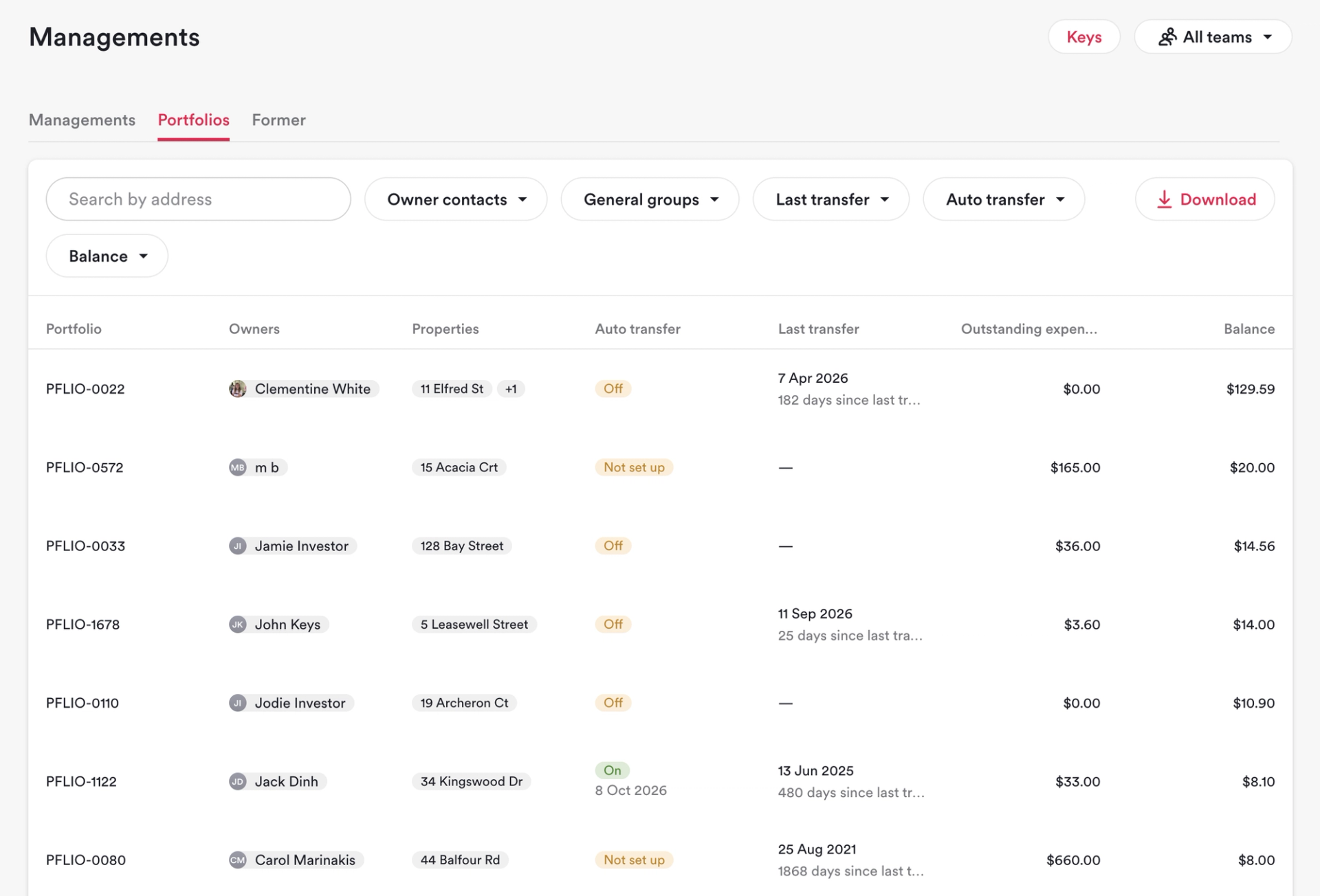
What: A new portfolio list in Managements shows every investor portfolio with its investors, properties, outstanding expenses, last transfer, next disbursement date and balance.
Why: Checking a portfolio's balance, or spotting one that isn't being paid out, used to mean digging through a report. Now it's a list you can search, filter and act on, so dormant balances don't slip through the cracks.
How: Open Managements and select the portfolio list. Search by property address or investor name, and filter by last transfer or next disbursement date, including portfolios with no transfers or no disbursement scheduled. Download the list as a CSV whenever you need it. Portfolios also now appear in global search, including by portfolio number, and a new dashboard tile shows how many portfolios have a positive balance with no disbursement in 45 days or more. Former managements are included too, so no funds get left behind.
