09.03.26 | Release Notes

Justin Watts
09 March 2026
What's New in Ailo
09.03.26
1. Faster clearing of card bill payments ⚡
What
When a bill is paid via credit or debit card, the payment now clears in approximately 2 hours — down from the previous 1–2 business days. This brings card bill payments in line with the faster clearing times you're already used to with rent card payments.
Why
We heard from property managers that the delay between paying a bill by card and seeing it clear was causing confusion and making it harder to reconcile accounts quickly. When rent card payments cleared in hours but bill card payments took days, it didn't make sense. This update removes that inconsistency so you can trust that card payments — whether for rent or bills — will clear promptly.
How
No action required! This improvement is automatic. Any bill paid by card from today will clear in approximately 2 hours. You'll see the payment status update faster in your bill payment history.


2. Income by fee category drill down 🔍
COMING VERY SOON
What
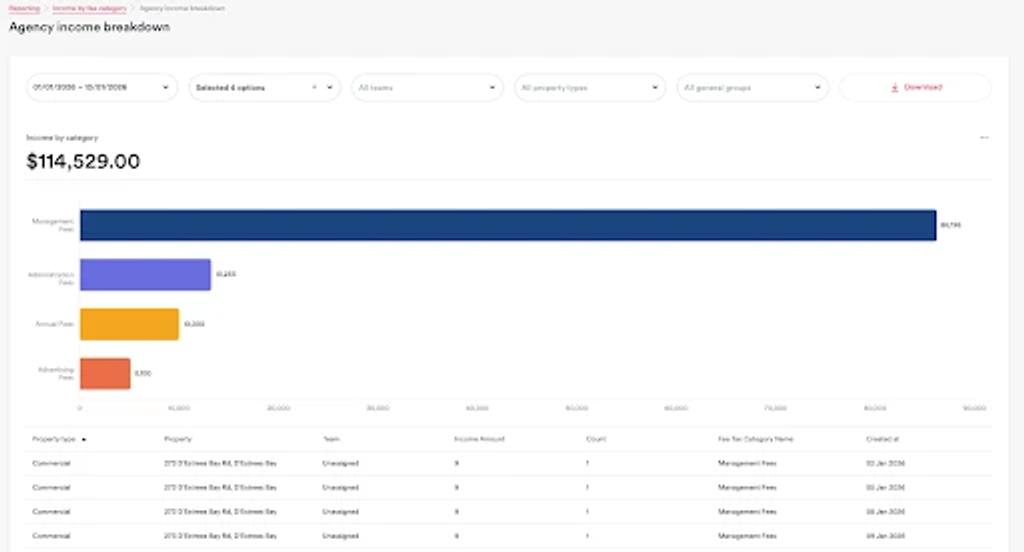
Property managers can now click on any fee category in the Income by Fee Category report to see a detailed breakdown of all the transactions that contributed to that total. No more guessing what makes up a number — just click and see.
Why
Until now, the Income by Fee Category report showed totals but you couldn't drill into the detail behind those numbers. Property managers told us they needed to quickly verify what transactions were included in each category, especially during month-end reconciliation. This drill-down gives you that visibility without needing to run separate reports.
How
Navigate to Reports > Income by Fee Category. Once the report loads, simply click on any fee category amount to expand the transaction-level detail. You'll see each individual transaction that makes up that total, making it easy to verify and reconcile.

3. Pay bills now 💸
COMING SOON
What
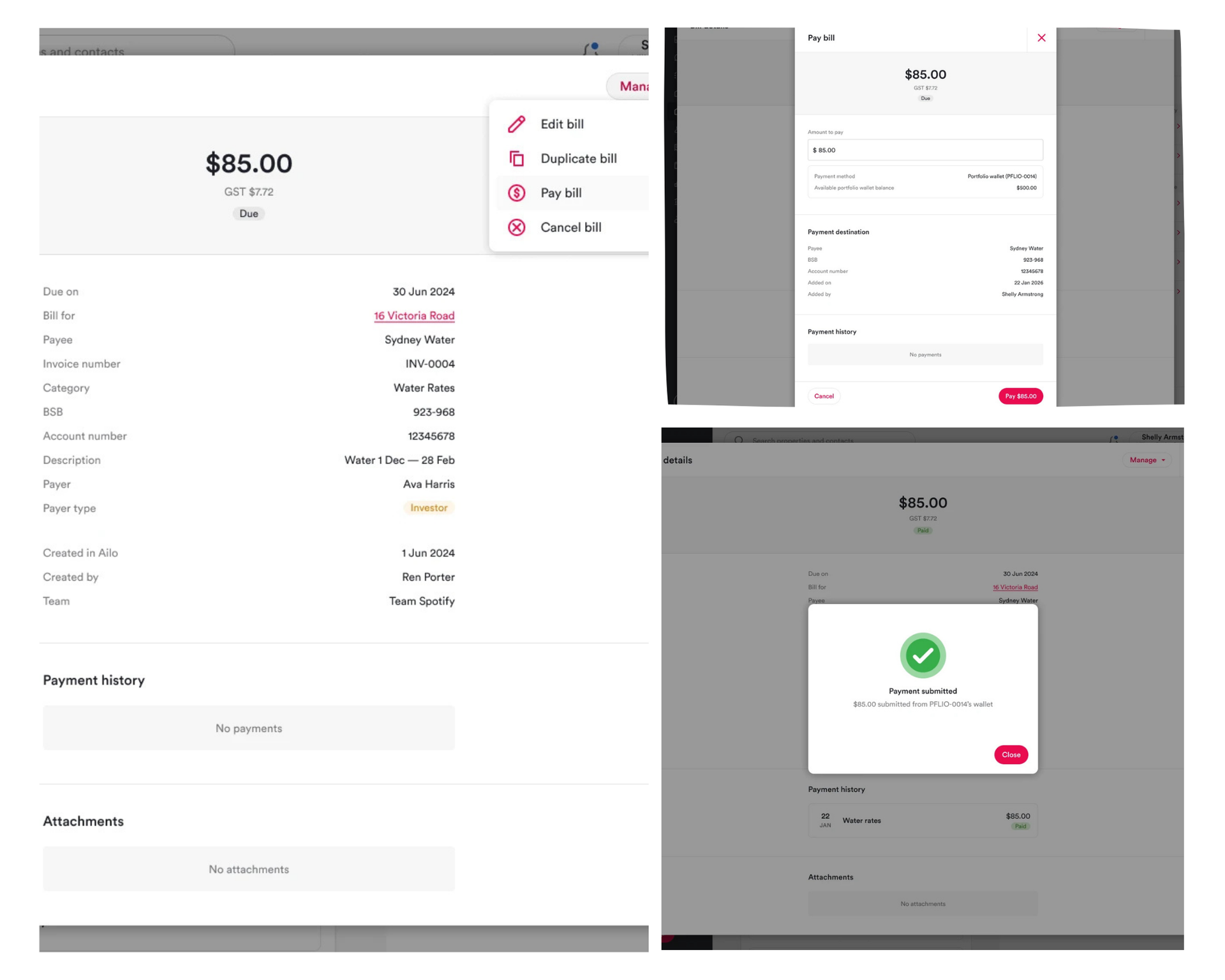
Property managers will be able to trigger an immediate bill payment directly from the bill details screen. Instead of waiting for the next scheduled payment run, you'll have a "Pay now" option that processes the payment right away.
Why
Sometimes bills are urgent and can't wait for the next batch payment run. Property managers have told us they need the ability to pay a bill immediately — whether it's an overdue invoice, an emergency repair, or simply a time-sensitive payment that needs to go out today. This feature puts you in control of exactly when a bill gets paid.
How
Once released, open any bill in Ailo and look for the "Pay now" button in the bill details modal. Click it, confirm the payment, and the bill will be processed immediately. We'll share the exact release date soon — stay tuned!

That's a wrap for this week! 🎉
As always, these updates are driven by your feedback. If you're finding features that make your day easier (or if there's something you wish worked differently), we'd love to hear from you. Drop a message to your Customer Success Manager or reach out in our support channels.
See you next week!