
12.08.26 | Release Notes

Ailo
12 August 2026
What's New in Ailo
12.08.26
Smarter, faster messaging

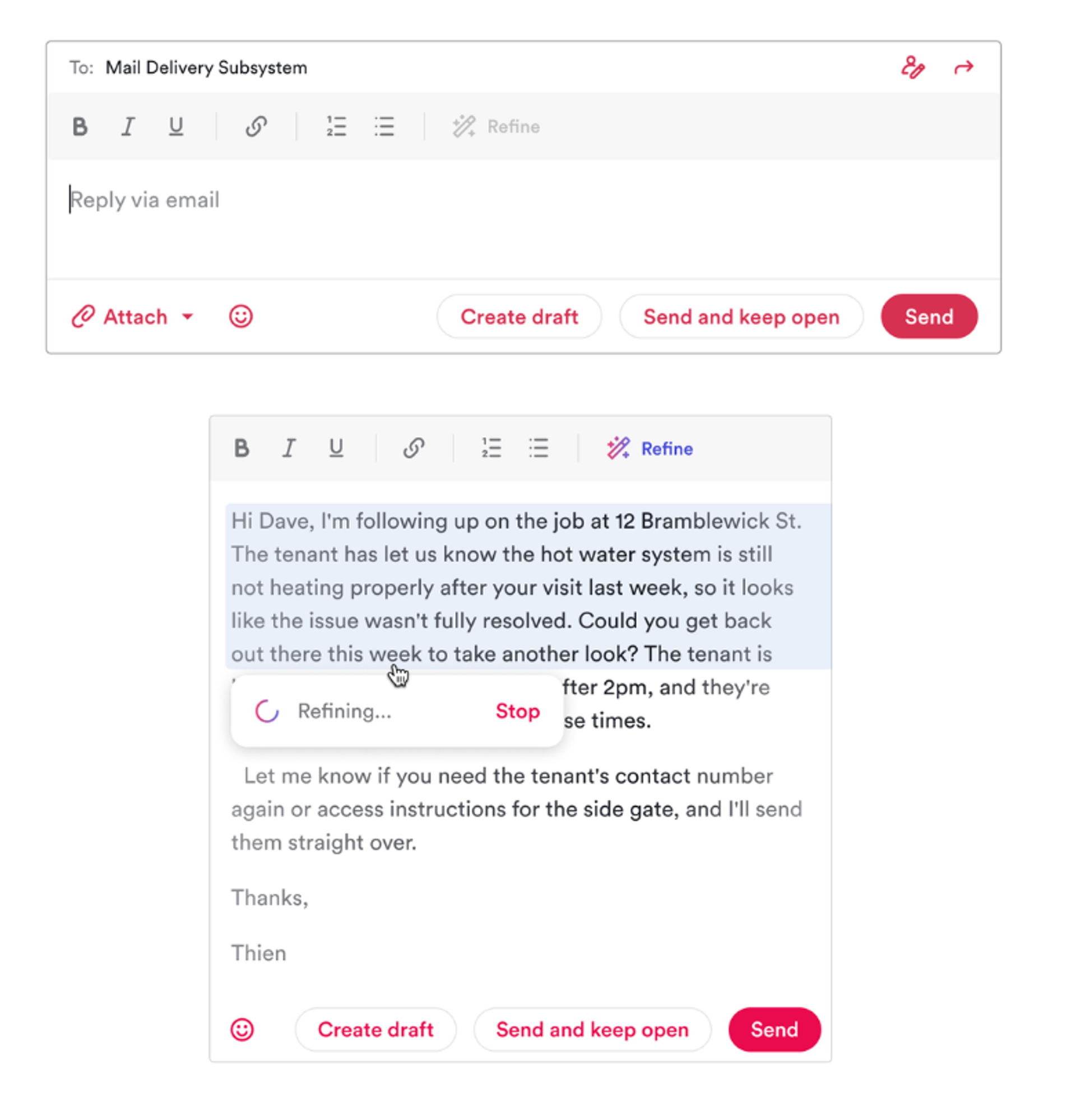
What: A bundle of quality-of-life improvements to messaging in Ailo, bringing everyday communication up to the standard property managers expect from the tools you use everywhere else.
Why: You told us you were copying message drafts out to ChatGPT to polish them, accidentally sending messages before they were ready, and losing track of conversations that still needed follow-up. These updates fix the daily friction that slows down professional communication, all without leaving Ailo.
How: The following improvements are now available:
@mentions in comments: Tag a teammate in a comment, on web or mobile, and they get a notification that takes them straight to your comment. Comments stay internal to your agency: renters, investors and suppliers never see them.
Emoji picker: Select the smiley button to add emojis anywhere you write on web: new messages, replies, bulk messages, project messages, templates and comments.
Clearer send buttons: "Send" sends and marks the conversation as done. "Send and keep open" keeps it on your list for follow-up. No more guessing what will happen when you hit send.
Undo send: Sent something too soon? Select "Undo send" within about 10 seconds of sending on web to pull it back. An unsent message is never delivered, and your text returns to the compose box ready to edit.
Forgotten attachment prompt: If your message says something like “see attached” but no file is attached, Ailo asks “Have you forgotten to attach a file?” before it goes.
Refine (AI writing tool): Select text in your draft and choose “Refine” in the toolbar (or press Cmd+J on Mac, Ctrl+J on Windows). Ailo fixes the spelling, grammar and tone in place, with “Undo” if you preferred your original wording.
Investor invites to routine inspections: Properties not set to invite investors used to drop out of bulk routine inspection invites silently. They now show as skipped, with an “Invite investors to routine inspections” checkbox to switch invites on there and then. Ticking it also saves the preference for that property.
Download a project’s messages: Select “Download” on a project’s Messages tab to export a transcript of every message sent as part of the project.
Shoutout to Kayla, St Kilda, whose team sent us a video of their reaction when these landed. It made our week!
