
15.07.26 | Release Notes

Ailo
15 July 2026
What's New in Ailo
15.07.26
Tenancies and Managements - now two separate pages

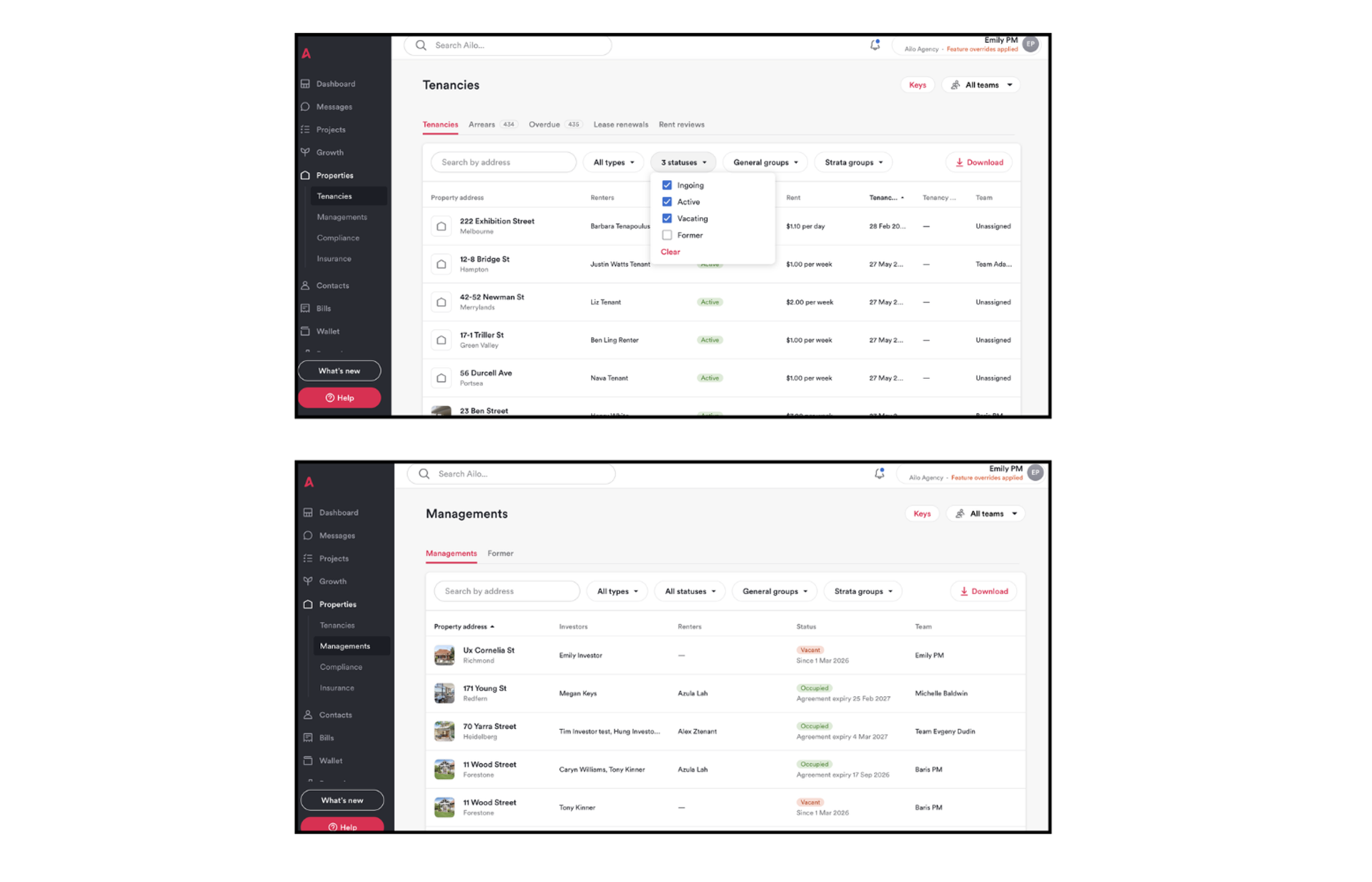
What. Your Properties area has been split into dedicated Tenancies and Managements sections, replacing the single combined list.
Why. The old Properties list was too broad to be useful. Key tenancy data - rent amounts, dates, and vacate timelines - was not visible without opening each property, slowing down routine work.
How. Find Tenancies in the left navigation. It shows all active, ingoing, vacating, and former tenancies with rent amounts, frequencies, and start and end dates visible in the list. Filter by status, property type (residential or commercial), or group. Managements has its own section for active and former managements. Keys remain accessible via the button in the top right of both areas.
Authorised suppliers
What. You can now link approved suppliers to each property and save their customer reference number (CRN), so incoming bills match to the right property and payer automatically - from the very first bill.
Why. Until now, bill matching depended on the most recent published bill, meaning the first bill at every new management needed to be matched manually. Agencies migrating from PropertyTree can also bring their existing CRN records straight in rather than re-entering them one by one. Preferred suppliers appear at the top of the list for faster quote requests and work orders.
How. Open any property and go to the Management tab to find Authorised suppliers. Add a supplier, enter their CRN, and Ailo's Smart Extract will automatically match incoming bills to the right property. When you send a quote request or work order in a Repairs and Maintenance project, authorised suppliers appear at the top of the picker with an Authorised badge.


Bond claim funds held for one business day in case of a mismatch

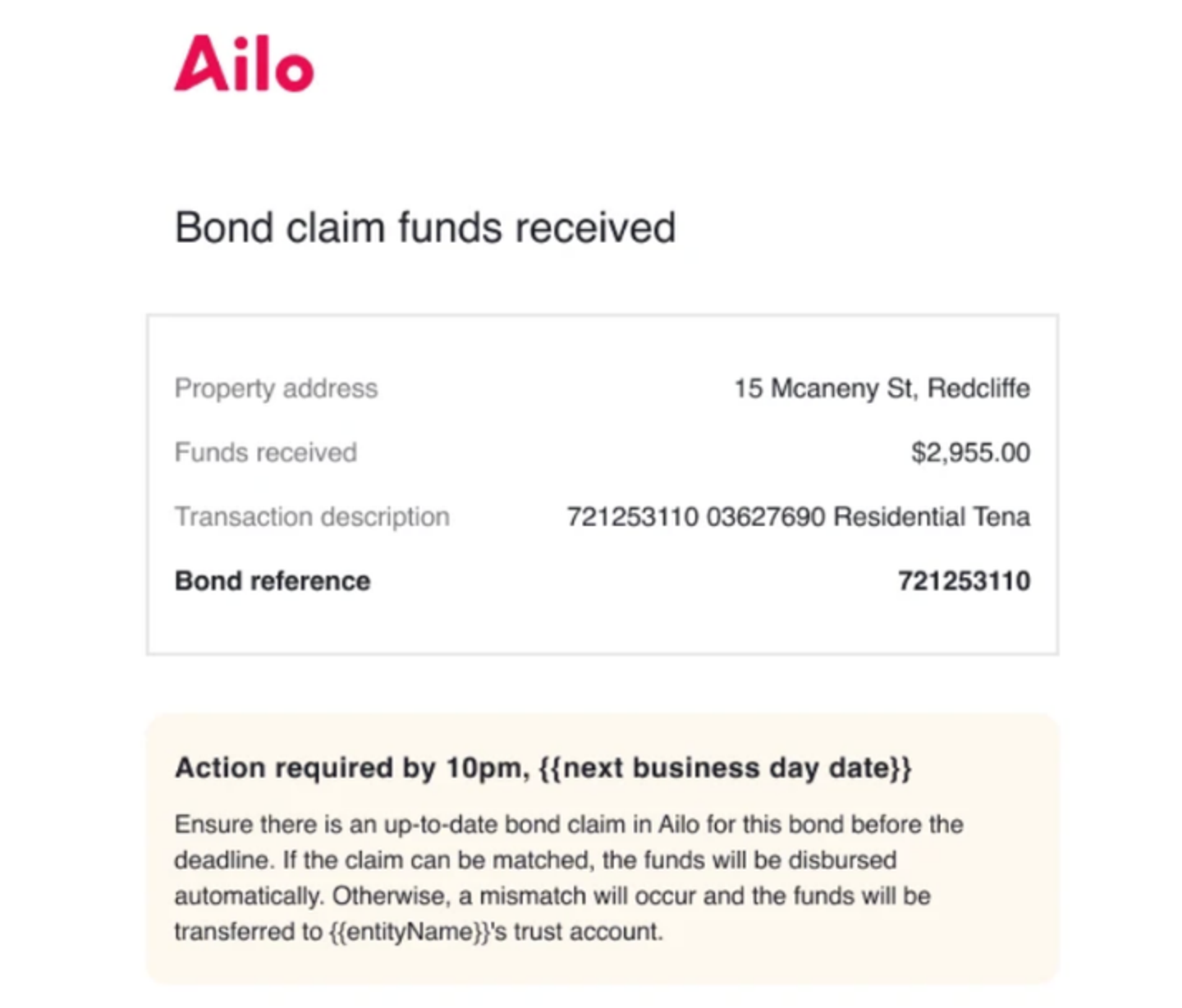
What. When bond funds arrive but cannot be matched to a claim, they are now held in the bond wallet for one business day rather than being bounced straight to your trust account.
Why. Most mismatches are fixable - a claim might need to be created, a reference number corrected, or a transaction number added. The hold window gives your team time to resolve it before funds move to trust, removing the need to transfer them back and forth.
How. If funds arrive without a match, you will receive an email with the amount received, the transaction description, and a deadline to resolve it. Update or create the bond claim before the end of the next business day and Ailo will match and disburse automatically. If the window passes without a resolution, funds move to trust as usual. Available for all NSW, VIC, ACT, and TAS based offices.
Message threads no longer lock when a team member is deactivated
What. Removing a team member's access no longer locks the message threads they were assigned to.
Why. When a team member left, every thread where they were the only assigned PM became inaccessible.
How. Go to Messages and open the Unassigned tab. Use the deactivated filter to find threads that belonged to a former team member, then take over, reply, or reassign them as needed. If your unassigned count looks higher than expected, that is previously hidden conversations resurfacing - not a bug. Note: open threads older than 30 days were closed as a one-off when this change went live.


Copy from previous inspections - now choose which one

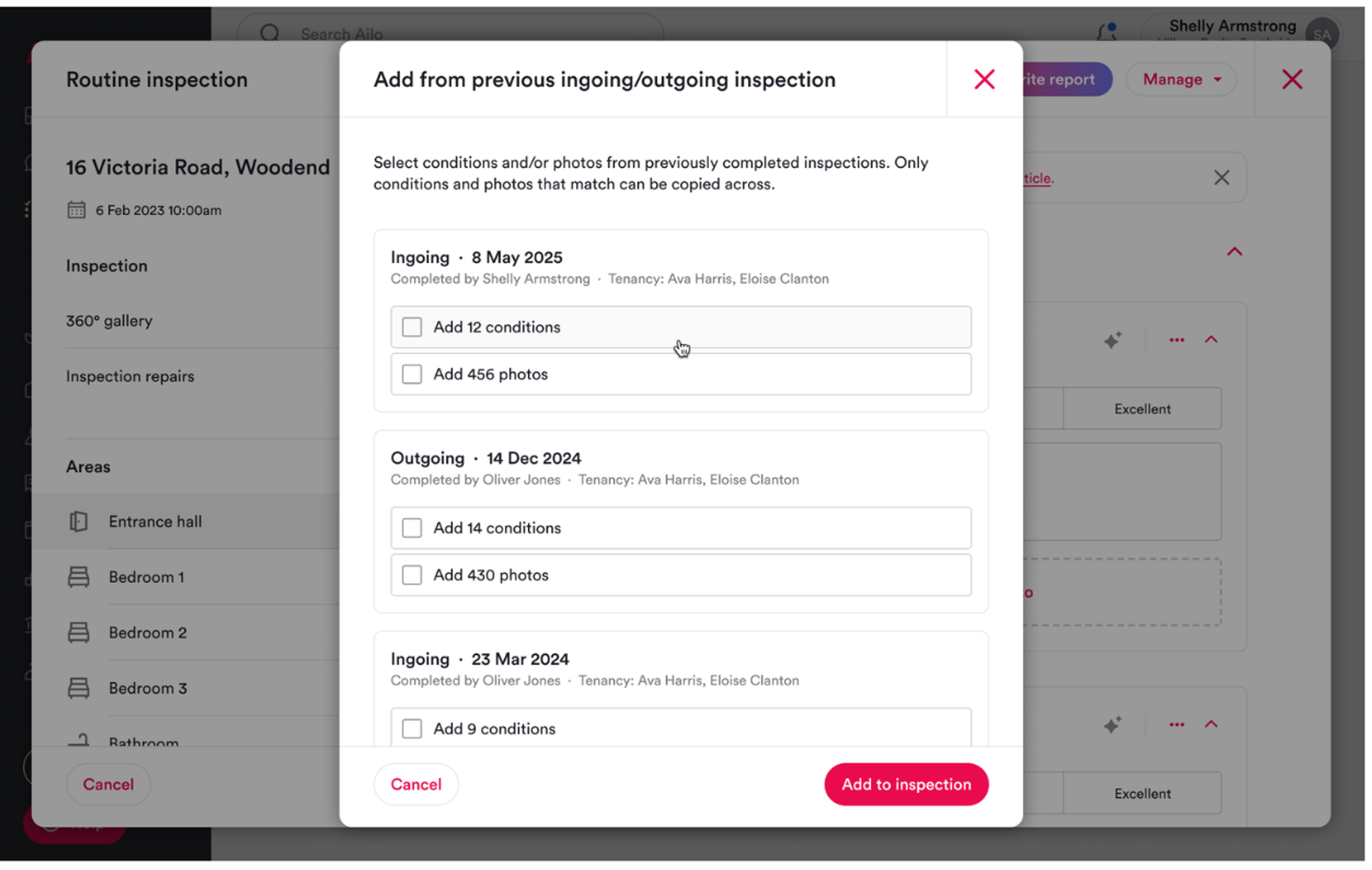
What. When copying from a previous inspection, you can now select which past inspection to pull from, not just the most recent one.
Why. The old copy function defaulted to the last ingoing or outgoing with no preview of what would come across. PMs regularly copied from the wrong inspection, and the only fix was to manually remove the imported data.
How. Start or open an inspection and use the new Add from previous inspection option. You can pick any past completed inspection of the same type, shows how many conditions and photos will come across, and lets you choose to copy conditions, photos, or both before confirming. Works on web and mobile.
