
19.02.26 | Release Notes

Justin Watts
19 February 2026
What's New in Ailo
19 February 2026
1. Manage your own teams
More control than you've ever had before
You asked for it – now you've got it. Create teams, rename them, and bulk reassign managements between teams, all without a support ticket.
Admins can lock it down to admin-only access, or open it up for anyone in the agency. You can also add and remove team members, and see which other teams someone belongs to.
A couple of things still coming: archive teams (next week) and the ability for staff to belong to multiple teams (also next week).
Good to know: team names are internal only – they show up in filters and KPI reports, but renters and investors never see them.


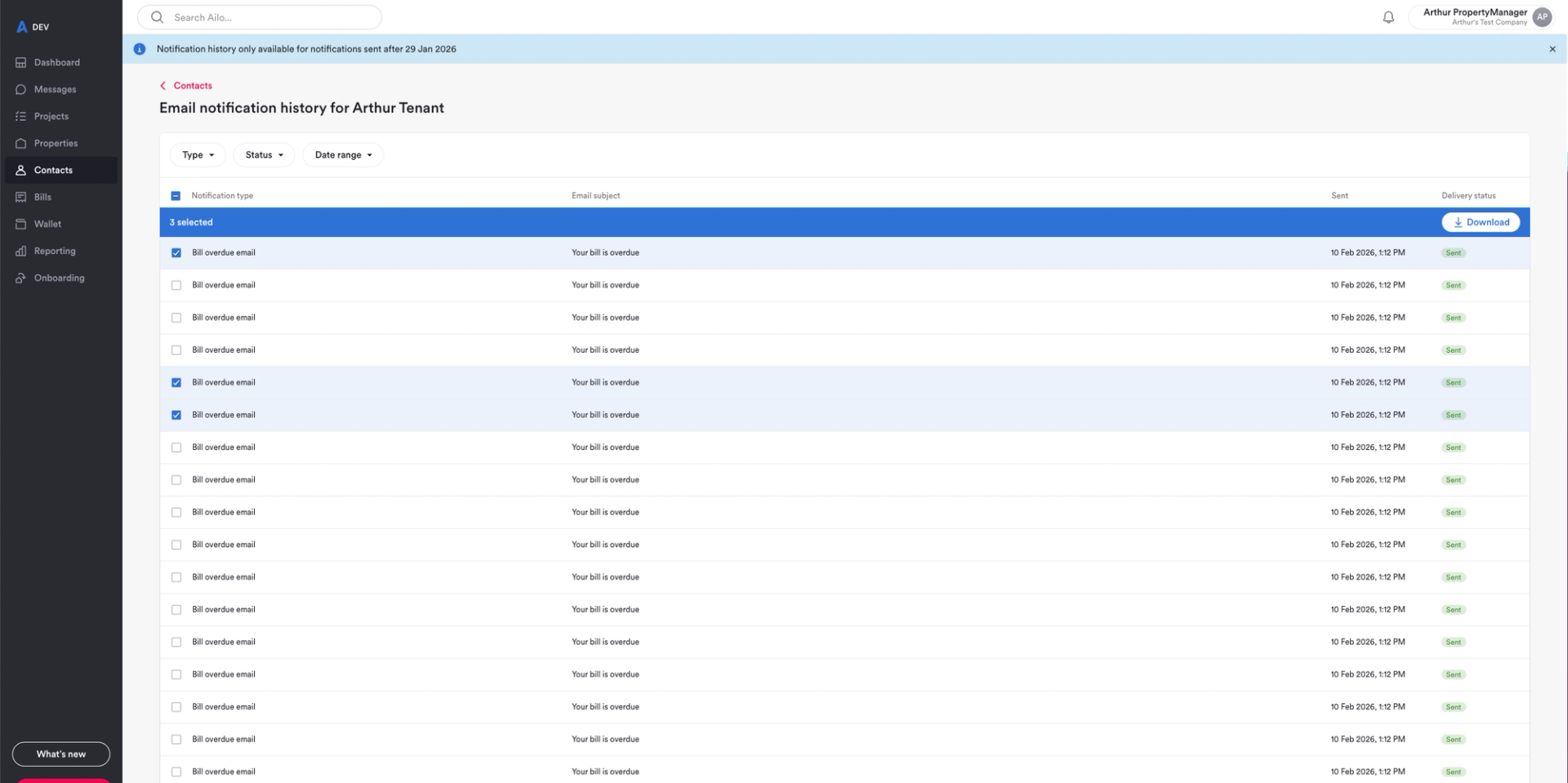
Download notification history 📩
Need to pull together notification records for a tribunal or just want a paper trail? You can now select and download notifications directly from the platform.
Each download includes the timestamp and notification type in the filename, so everything stays organised. Note: notification history is available from 29 January onwards, and attachments aren't fully visible just yet – both are being improved in upcoming releases.
Coming soon: the ability to resend notifications directly from the app.

3. Wallet balance clarity + partial payments for ownership transfers 💰
Two updates here that work together to keep money flowing smoothly.
First, the consumer app now shows "wallet balance" alongside the "maximum transferable amount" – so investors can clearly see what's available to withdraw after outstanding bills and fees are accounted for. If they try to withdraw the lot, they'll get a warning first. Same terminology is rolling out across the PM app next week so everyone's on the same page.
Second, for change of ownership transfers, you can now make partial payments on bills that exceed wallet funds. This means ownership transfers don't stall because there isn't quite enough in the wallet to cover everything. The investor can then pay the remaining balance through their app.
Currently available to users with 'Finance – manage' permissions.
Built from your feedback

4. More updates you asked for ✅
1. Project list now has categories 🗂️
No more scrolling to find "Repair and Maintenance" – the most-used project types are now front and centre.
2. Property keys on management cards 🔑
Hover over a management card to see which keys are listed for a property. Quick visibility without clicking through.
3. Jump from work orders to projects 🔗
Click any work order row to go straight to the corresponding project. Fewer clicks, less hunting.