
19.03.26 | Release Notes

Justin Watts
19 March 2026
What's New in Ailo
19.03.26
Arrears Over Time Report
What: A brand-new report that lets business owners and department heads see how their arrears rate is tracking over time, at both an agency and team level, with the ability to drill down to individual days.
Why: Until now, you could only see arrears as of today. If you wanted to look back, you had to dig through previously generated KPI reports. This new report gives you a clear, visual picture of your arrears trends so you can spot improvements, catch issues early, and have better conversations with your team about rent collection performance.
How: Head to the Reporting section in Ailo. Select the Arrears Over Time report, choose your date range, and pick your preferred view: daily, weekly, or monthly. Weekly and monthly views show a true average over the period. You can view by team to see who's contributing most, or flip the view to break things down by age of arrears (up to 3 days, 4-7 days, 8-14 days, and 14+ days). Click into any day or period to see the individual properties in arrears.
Please note: This report currently excludes vacant and commercial properties, and covers rent arrears only. Team comparison lines on the graph are coming in the next few days.
Shoutout to Natasha, Warwick for raising the need to access arrears data for specific historical dates. This one's for you!


Agency Self-Service Settings: Trust Details & Bill Attachments

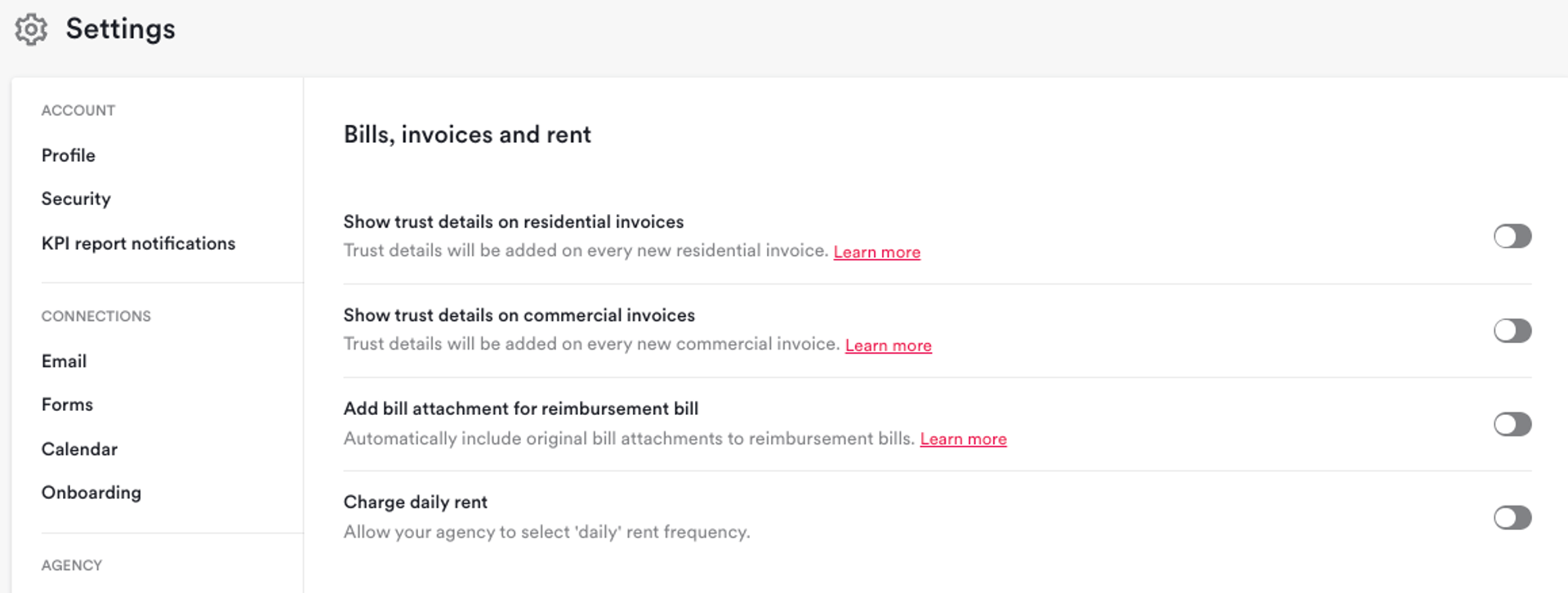
What: Two new self-service settings that put agencies in control. Choose whether to display trust account details on residential or commercial rent invoices, and opt in to include the original bill with reimbursement bills.
Why: Agencies operating with trust accounts have long needed the ability to show their trust details on rent invoices so renters know where to pay. Previously, this required a support request. Similarly, including the original bill with reimbursement invoices (e.g., water bills sent to renters) was only available by contacting Support. Now both can be managed directly by the agency.
How: Navigate to Settings and look for the new "Bills, Invoices & Rent" settings page. From there, you can toggle trust details on or off for residential and commercial rent invoices independently. You can also enable automatic attachment of the original bill to reimbursement bills. Please note: there is currently no redaction capability for bill attachments, so investor details on the original bill will be visible to renters.
Daily Rent Frequency Now Available

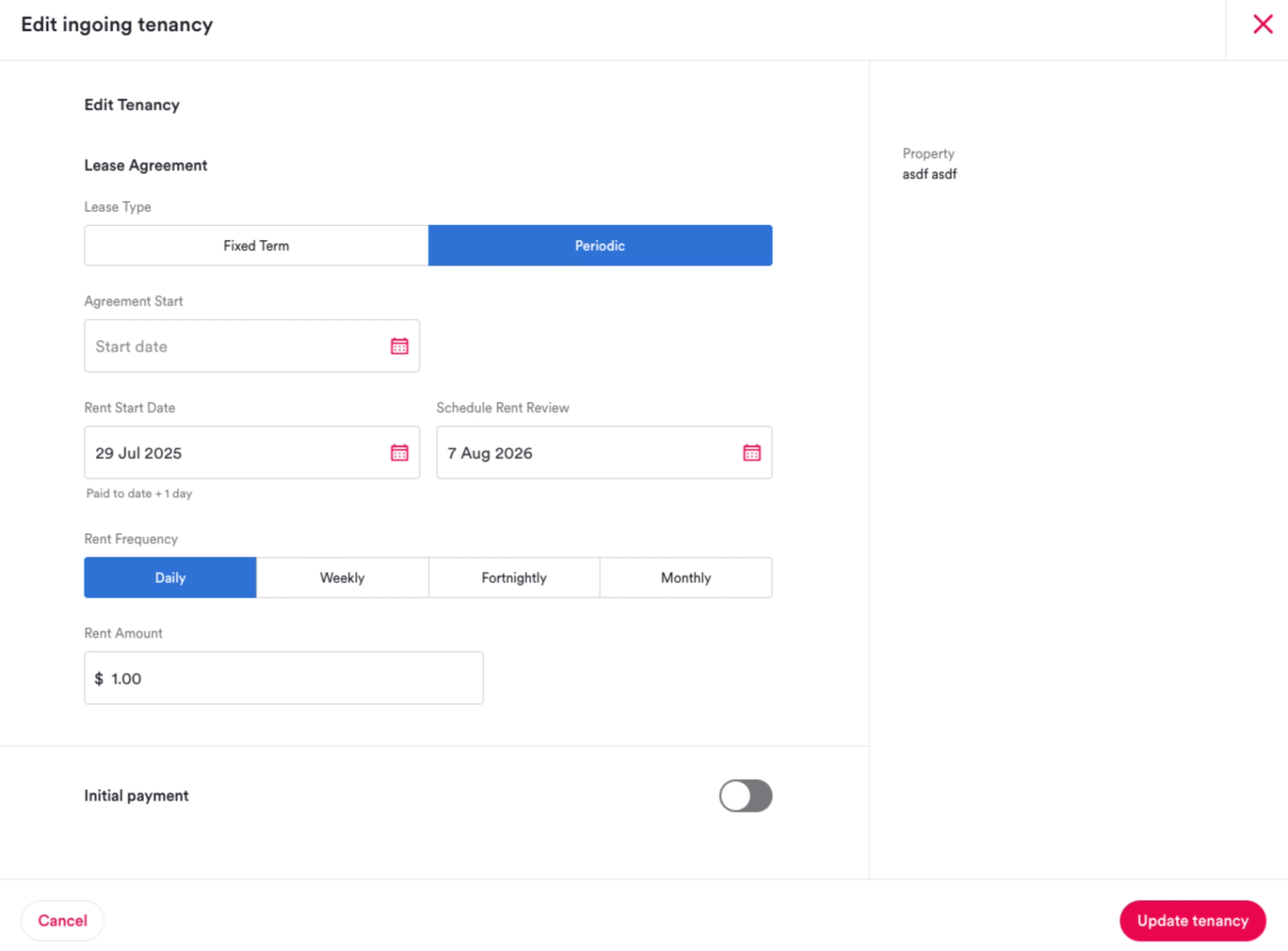
What: Agencies can now select "daily" as a rent frequency option when setting up tenancies, without needing to contact Support.
Why: Some agencies, particularly those managing holiday rentals or short-term lets, need the flexibility of daily rent. This was previously only available via a support request. Making it self-service removes friction and puts agencies in control.
How: When creating or editing a tenancy, you'll now see "Daily" as an available rent frequency option. Please note: renters on daily rent frequency will not receive rent due or overdue reminders. Rent receipts for both Ailo Pay and Trust payments will continue as normal.
Expanded Rent Invoice Generation

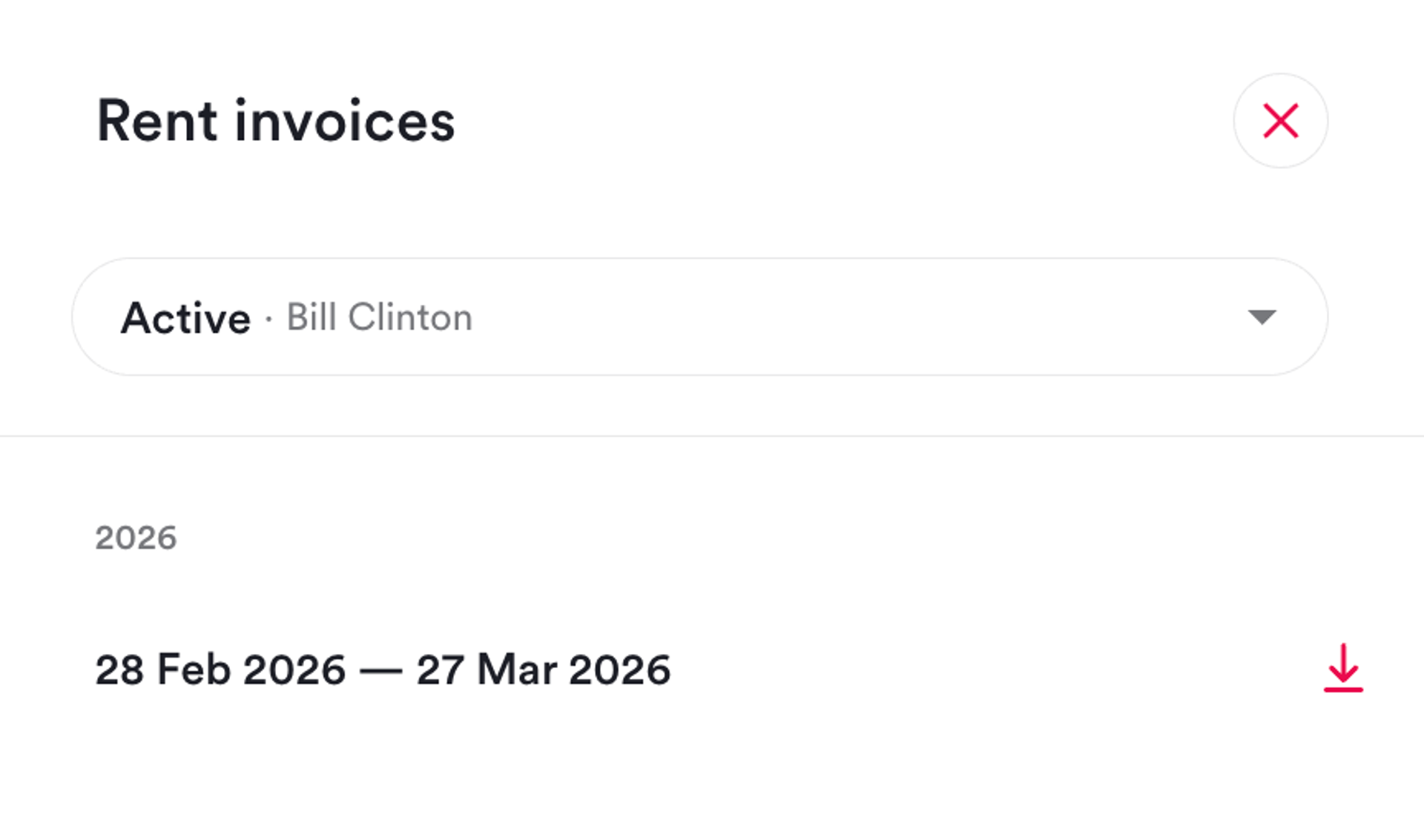
What: Rent invoices can now be generated for all property types, including residential tenancies, not just commercial properties.
Why: Agencies managing residential tenancies that pay to trust have needed the ability to generate rent invoices for their renters. Previously, this was only available for commercial properties, leaving residential PMs without a convenient invoicing option.
How: You can now generate a rent invoice from the tenancy view for any property type. Look for the rent invoice option under the tenancy's actions.
Small Improvements & Bug Fixes
- PMs can now download invoices as of today for any property
- Various stability and performance improvements