
21.10.26 | Release Notes

Ailo
21 October 2026
What's New in Ailo
21.10.26
Choose the rent due date when setting up a tenancy

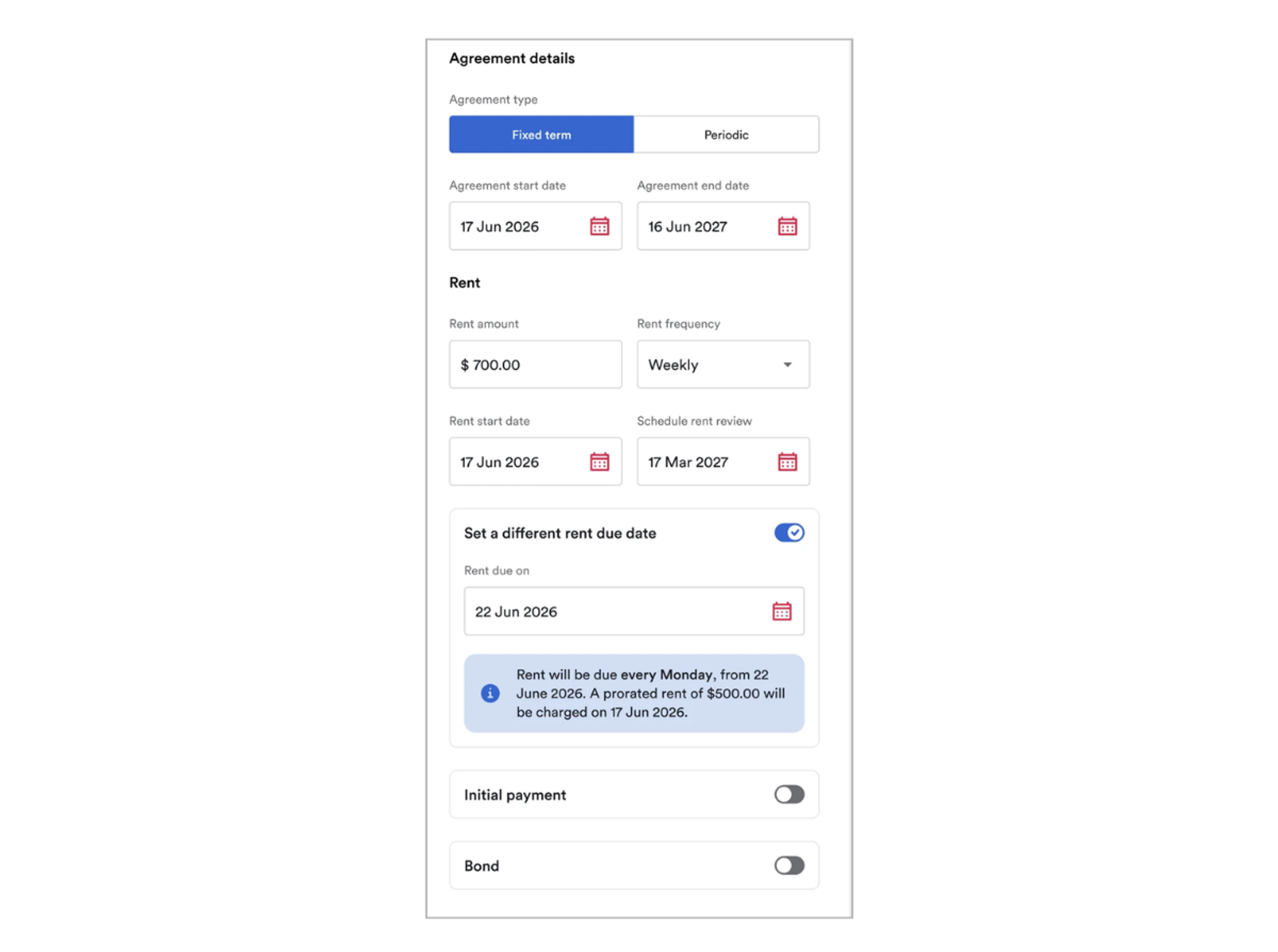
What: You can now set a rent due date that's different to the rent start date when setting up a new tenancy.
Why: Plenty of agreements start on one day and charge on another. Think of a commercial lease that starts on 21 October with rent due on the 1st of every month. Previously, you had to set up the tenancy first, then go into Manage rent to change the due date, and if an invoice was generated in between, there was extra cleanup to do. Now the tenancy is set up correctly right from day one, in one step.
How: When setting up a new tenancy, choose the rent due date alongside the rent start date. It works for weekly, fortnightly and monthly rent. Ailo charges a pro-rata amount for the days between the rent start date and the first due date, then the regular rent cycle takes over.
Edit occupied since date from the Manage menu

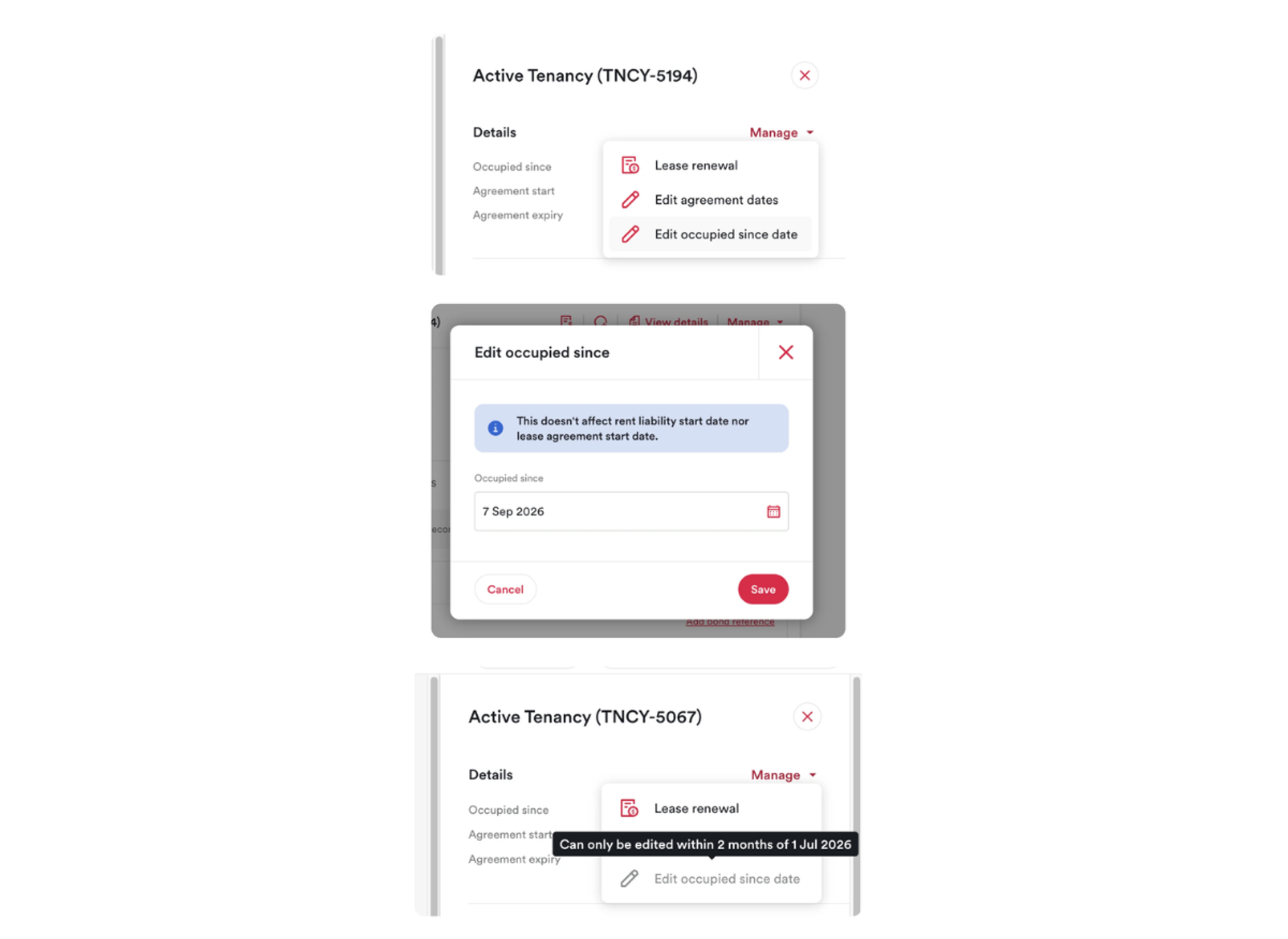
What: Edit occupied since date now sits in the tenancy Manage menu, right next to Edit agreement dates and Edit termination dates.
Why: The occupied since date is when the renter first moved in. For takeovers and migrated tenancies it often needs updating to match reality, but the option was hard to find. Now it's where you'd expect it, so you can update it yourself without contacting support.
How: Open the tenancy, select Manage, then Edit occupied since date. Changing it doesn't affect rent liability or the agreement start date. The option is available for a limited window after the tenancy is set up in Ailo, which covers takeovers and migrated tenancies.
Deleting a backdated rent review now reverses its adjustment

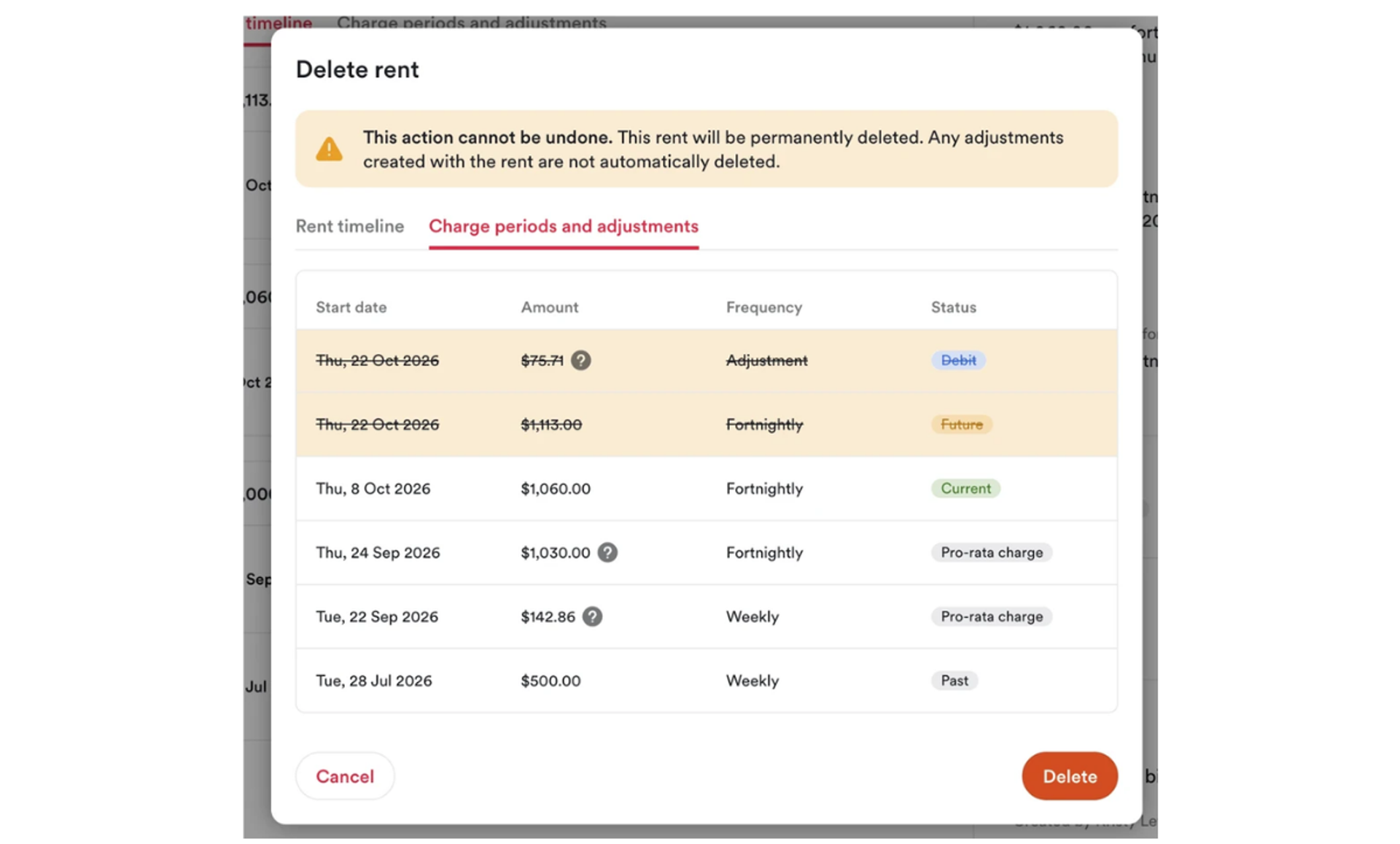
What: When you delete a backdated rent review, Ailo now automatically reverses the rent adjustment that was created with it.
Why: Backdating a rent review creates an adjustment to cover the difference. Previously, deleting the review left that adjustment behind and it had to be reversed by hand. It was easy to miss and could leave a ledger out of step. Now the review and its adjustment stay linked, so your ledgers stay clean.
How: Nothing new to learn. Delete the backdated rent review as usual and the adjustment is reversed for you.
