
29.07.26 | Release Notes

Ailo
29 July 2026
What's New in Ailo
29.07.26
Rent transfer adjustments now take the amount you want

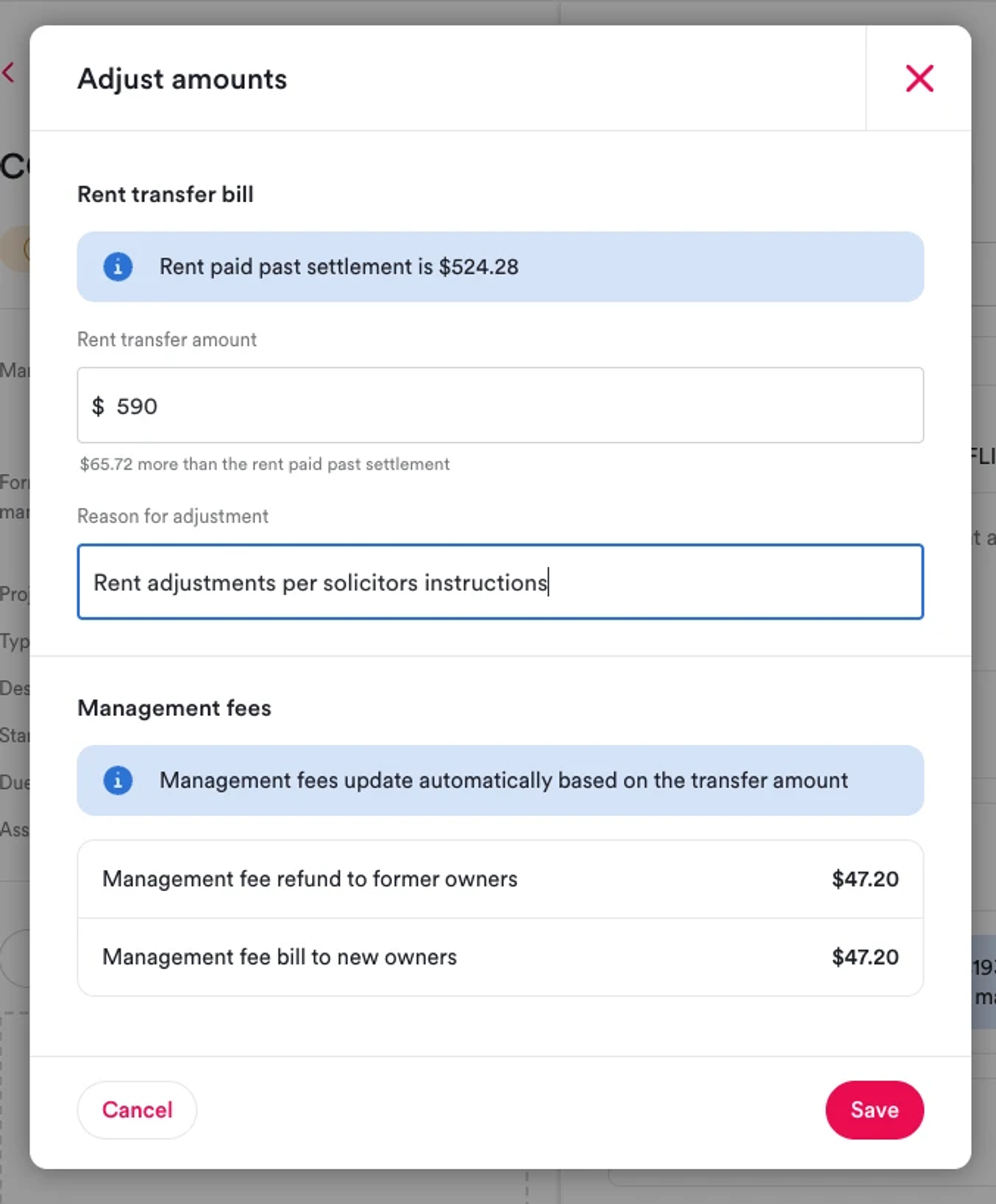
What. When processing a rent transfer adjustment during a change of ownership, you can now type the target amount directly instead of working out the difference yourself.
Why. Previously, adjusting a rent transfer meant calculating the difference in your head. To change $514 to $50, you had to enter -$464. Now, just type the amount you want and Ailo calculates the rest automatically.
How. In the change of ownership flow, on the rent transfer bills step, enter the target amount in the adjustment field. Ailo shows the difference as a live "more/less than rent paid past settlement" line. Management fees update to match. Use "Clear adjustment" to revert to system-calculated amounts at any time.
Clearer bill payment status and a new paid column
What. Bills that have been partially refunded now show as "Paid" - the previous "Paid (Partially written off)" status has been removed. A new "Paid" column has also been added to the paid tab, showing the total amount paid against each bill.
Why. The "Paid (Partially written off)" label was causing confusion. The new paid column gives you clearer visibility into payment history without needing to open each bill individually.
How. Nothing to action - these changes apply automatically. Check the paid tab on bills to see the new paid column.


Trust portfolio balance visible for all agencies

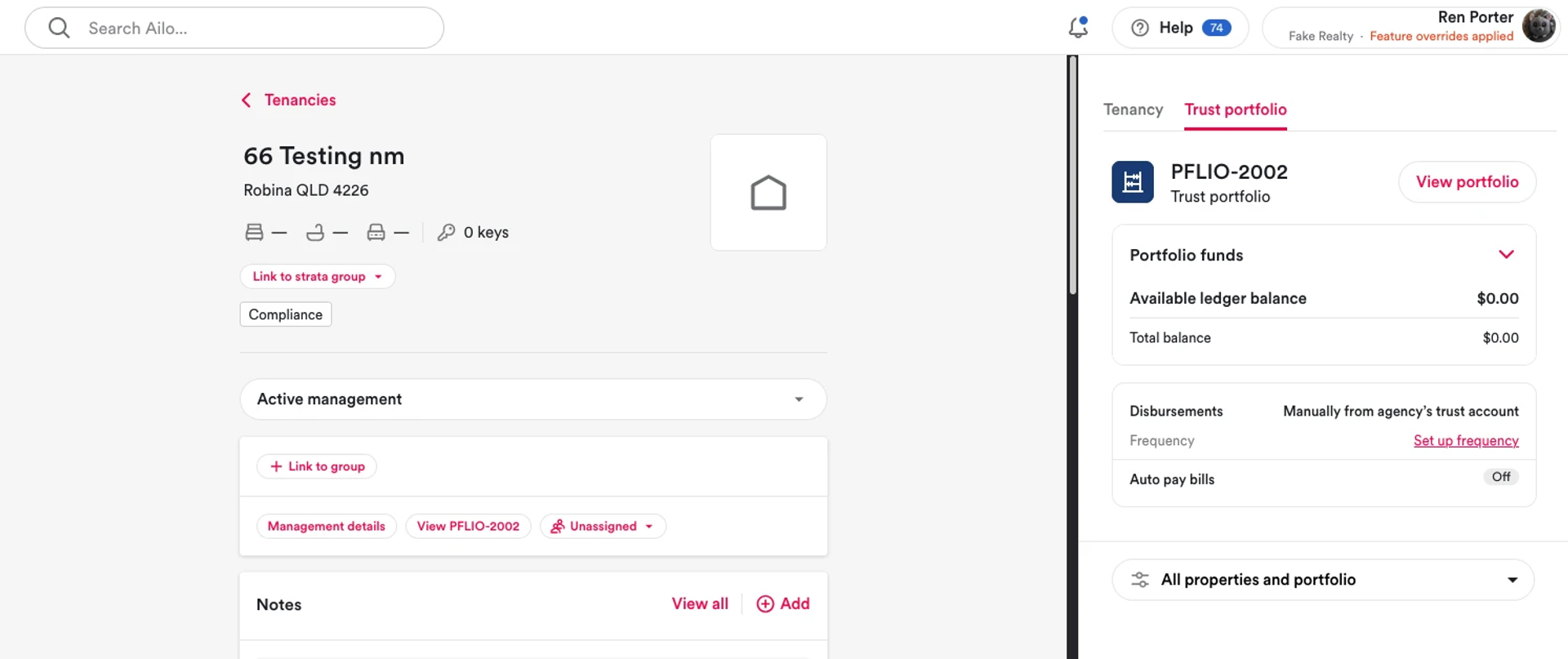
What. Trust portfolio status - including the trust balance - now shows in the sidebar for all trust portfolios, regardless of your agency's subscription type or how the portfolio was set up.
Why. Previously, some trust portfolios had this view hidden depending on their configuration. This inconsistency has now been resolved so all agencies with trust portfolios have consistent visibility.
How. Nothing to action. If you manage trust portfolios, the trust balance and status will now be visible in the sidebar automatically.
Bill drafts now appear in the "Create bill to investor" work order
What. When you save a bill draft through the "Create bill to investor" action in a work order, that draft now appears directly in the action - consistent with how bill drafts behave elsewhere in Ailo.
Why. Previously, drafts created this way disappeared from view until they were published from the draft bills screen. This was causing duplicate bills to be created by accident and confusing property managers during work order workflows.
How. Nothing to action. Bill drafts saved through the "Create bill to investor" work order action will now appear immediately in that action, ready to review before publishing.


Part-paid bills now display payment progress on statements

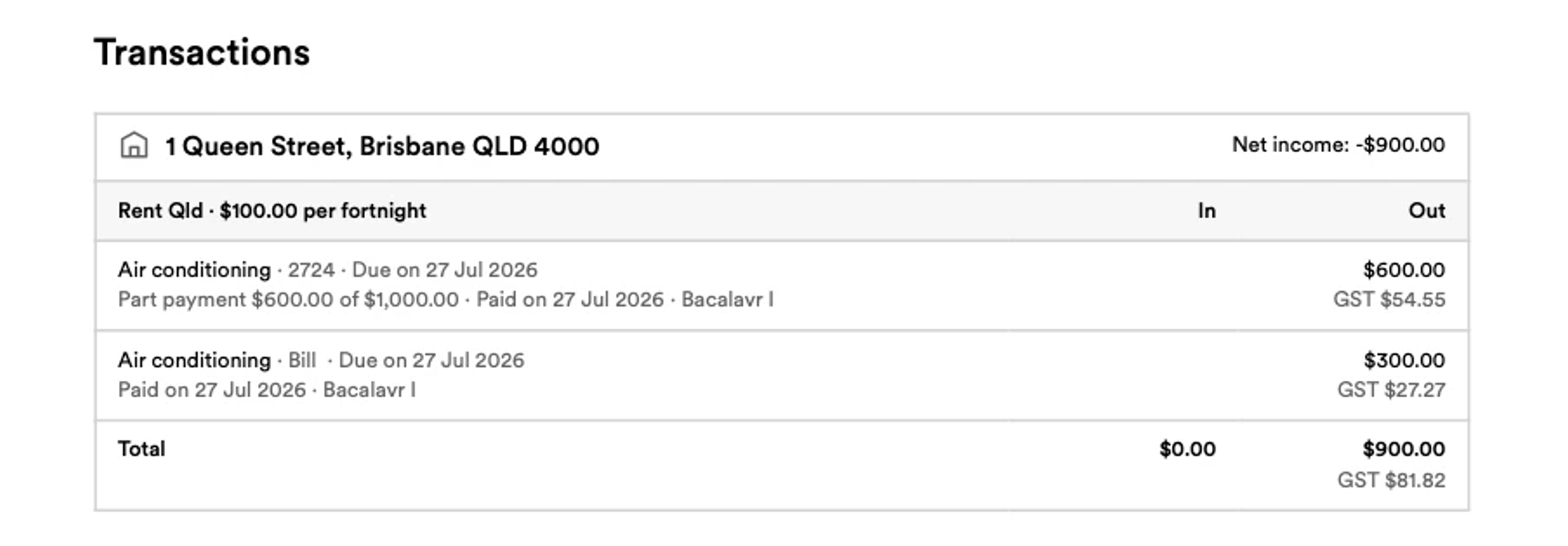
What. Portfolio ownership and transfer summary statements now show payment progress for part-paid bills - for example, "$50 paid out of $100" - so investors can clearly see what has been paid and what remains.
Why. Previously, each part payment appeared on statements as a fully "Paid" line with no indication it was partial. Investors were querying their statements, calling agencies about what looked like duplicate or unexplained entries, adding unnecessary admin for property managers.
How. Nothing to action. Statements update automatically. Part-paid bills in the upcoming section also now show the remaining amount owed rather than presenting as a fresh bill.
